
Annotium - Photo Markup
Updated Aug 30, 2026 · v4.3.3


Add arrows, text, shapes and measurements to photos. Explain and share.
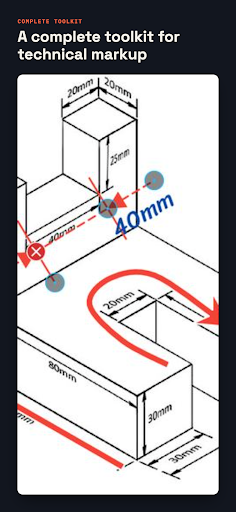
Turn any photo into a clear visual explanation with Annotium. Mark up images for site inspections, repairs, lessons, product feedback, instructions, or everyday communication. Point to what matters, add context, and share an image that is easy to understand. Annotium is free to start. A one-time Premium purchase unlocks advanced tools and workflows—no subscription. Premium adds advanced shapes and callouts, technical line tools, stylized pixel effects, image insertion, the font catalog, notes, collage and stitching, editable-project workflows, PDF and project-file export, and ad removal. ANNOTATE WITH PRECISION • Add arrows, lines, shapes, and text • Highlight details with spotlight and magnifier tools • Show dimensions and angles with measurement tools • Draw directly when a quick sketch says it best PROTECT AND PRESENT • Blur or pixelate private details • Start with Mosaic, then unlock crystallize, mezzotint, pointillize, and color halftone effects with Premium • Crop images for clearer context; Premium adds collage and stitching • Save projects; Premium reopens the originals for continued editing • Share high-resolution images; Premium adds PDF and editable project-file export TOOLS FOR EVERY DETAIL • Create lines, curves, arrows, rectangles, ovals, rounded rectangles, triangles, parallelograms, polygons, arcs, coordinate shapes, donut shapes, and freehand drawings • Build polygons with unlimited vertices; Premium enables unlimited points on lines and curves • Choose multiple arrowheads and line styles; customize width, size, color, font, dash pattern, fill pattern, and opacity • Add plain text, comic-style callouts, pointer text, zigzag callouts, and thought text • Use hundreds of built-in icons and import custom fonts; Premium adds image insertion and the font catalog • Zoom and pan at full precision, use a touch-following magnifier, and snap to common angles such as 0°, 45°, 90°, and 180° • Work in portrait or landscape with auto-rotation and dark mode • With Premium, create collages, stitch panoramas, add Markdown notes, and reopen projects for editing • Produce high-resolution images; use Premium for custom-template PDFs and editable project files BUILT FOR REAL WORK Annotium helps contractors, inspectors, technicians, teachers, students, designers, support teams, and anyone who needs to explain something visually. Take a photo. Mark the detail. Make your point clear.
6 years on Google Play
This app isn't currently appearing in any tracked top charts.