
Octoclip: Universal Clipboard
Updated Jul 19, 2026 · v1.15.0


Universal clipboard: copy here, paste anywhere. Synced across all your devices.
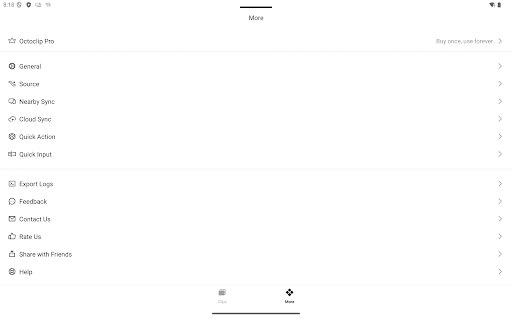
Ever copy a link on your phone just to message it to yourself so you can open it on your computer? Or lose something the moment you copy the next thing? Octoclip fixes that. Octoclip is a universal clipboard: whatever you copy on one device is ready to paste on another — and nothing you copy is ever lost. NEVER LOSE A COPY Every clip is saved to a searchable Clip History and synced across your devices. That address, code snippet, or link from yesterday is still right there — text, images, links, files, and code. FIND IT IN A SECOND Searching shouldn't mean remembering exact characters. Type Pinyin or Romaji to find Chinese or Japanese clips ("beijing" → 北京), match by your own aliases, or filter by type — text, image, code, or link — in one tap. Code clips get syntax-highlighted previews. PASTE ANYWHERE — NO COPY GYMNASTICS Call up your history from the Quick Input bar in any app, and set its search scope to focus on what you need. Set an alias and frequent text expands itself ("email" → your address). SYNC YOUR WAY • Nearby Sync — devices on the same network, over Bonjour. No account required. • Cloud Sync — across networks, through your own WebDAV / S3 storage. YOUR CLIPBOARD STAYS YOURS Local-first — your clips live on your devices. Cloud Sync uses storage you own, and content is encrypted locally before it leaves your device. Your clipboard holds passwords and personal text; it shouldn't sit on someone else's server. Works on Android, iPhone, iPad, Windows, and Mac. Octoclip uses the Android Accessibility Service solely to: • monitor clipboard changes in the background and • read the active input field to expand Quick-Input shortcuts. No other on-screen data is read or shared, and the permission can be disabled at any time in Settings.
2 years on Google Play
This app isn't currently appearing in any tracked top charts.