
NovelVoice - Novels read aloud
Updated Sep 28, 2026 · v23.5.0



You can listen to novels published on web novel sites.
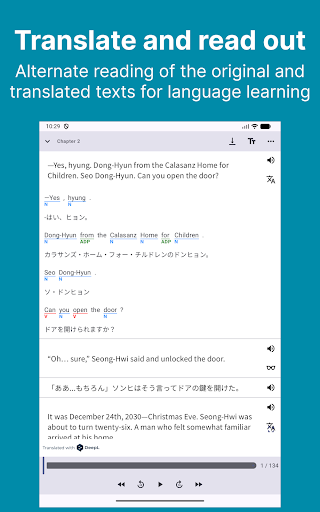
# How to Listen to the Novel - Tap the link to the novel site from the home page. - In WebView, navigate to the novel's episode page and tap ▶︎. # Recommended for situations like this - On a commuter train where it's hard to take out your phone. - When you're driving. - During housework or work when both hands are busy. - While working out or running at the gym. - Relaxing before bedtime. - Use the translation function for language learning. # Useful Features - Adjustment of voice type and height - Adjustment of reading speed - Automatic page forwarding (if there is a link to the next story on the page, after the reading of the page is completed, it automatically moves to the next story and reads it out loud) - User dictionary - Sleep timer - Browsing history - Bookmarks - Translation(MLKit, DeepL) - Download the novel (you can browse and read offline) - File import (txt/pdf/epub/zip) - You can import from the menu on the Bookshelf tab. - Backup/Restore - Music player - HTML parser can be configured for unsupported novel sites # Supported Novel Sites - Wuxiaworld - Royal Road - Webnovel - NovelBin - Creative Novels - MoonQuill - Inkitt - wattpad - Scribble Hub - Inkspired - Archive of Our Own - Grimms' fairy tales - Wikisource - Project Gutenberg - Volare Novels - Asian Hobbyist - Genesis Translations - Galaxy Translations - TRAVIS Translations - Fantasy World Online - Foxaholic - Moonlight Novels - NovelBin - Ranobes - NovelFull - FictionPress
3 years on Google Play
This app isn't currently appearing in any tracked top charts.