
履歴出力 for Pay払い | 履歴をCSVで出力
Updated Jan 25, 2025 · v1.11.0


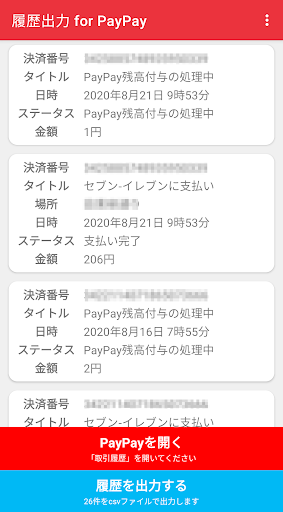
You can output PayPay usage history as CSV. It can also be used as a history reader. It may be useful for managing household accounts, expenses, and filing tax returns! ??
PayPay is convenient, isn't it? However, it is not good that the usage history can be seen only from the application ... With that in mind, I created an app that can output PayPay usage history in CSV format. ■ How to use It's very easy. 1. Start this application 2. Follow the instructions to enable this app with accessibility 3. Start PayPay and display the usage history screen 4. Just scroll and read the usage history! ■ Recommended for people like this ・ Those who want to see the usage history of PayPay on a PC ・ Those who want to keep a household account book in the usage history of PayPay ・ Those who want to manage expenses with PayPay usage history ・ Those who want to manage PayPay usage history with Excel etc. ・ Those who want to use PayPay payment for tax returns ■ Notes ・ This app is an unofficial app made by an individual developer who likes PayPay. ・ "PayPay" is a registered product of PayPay Co., Ltd. -The developer is not responsible for any trouble, loss, damage, etc. caused by using this application. ■ About accessibility functions This application uses the "accessibility function" to read the PayPay history. The data to be read is only the transaction history, and no other information is read. Also, the read data is saved only in the app.
6 years on Google Play
This app isn't currently appearing in any tracked top charts.