
pfodAppV3 BT,BLE,Wifi,SMS
Forward Computing and Control Pty.Ltd
Updated Aug 17, 2026 · v3.0


pfod - Control micro-devices from your Andriod. No Android programming required.
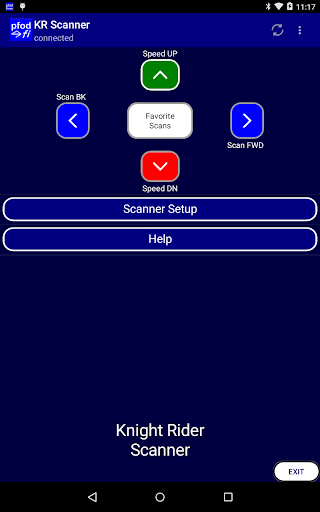
V3.0.502 updates to API 36 Check out the free browser based alternative, pfodWeb.html at https://www.forward.com.au/pfod/pfodWeb/index.html. pfodWeb.html is a free, open source, off-line, webpage that runs in any browser and connects via Serial, BLE, TCP/IP and HTTP. The Rust based pfodProxy is available for Windows, MacOs and Linux, to provide the connections your favourite browser does not support natively. Also included in pfodWeb.html are designer replacements for pfodDesigner and pfodGUIDesigner app. The pfodWeb designer has board details for over 600 Arduino AVR, ESP32, Pi Pico and ESP8266 boards To support pfodWeb.html, purchase pfodApp. Notes about Location permission usage on Android V12+ pfodApp does not and never has used or stored or sent any location information. However prior to Android V12, Google insisted on pfodApp requesting Location permission in order to make Bluetooth connections. On Android 12+ it is possible to avoid asking for the Location permission since pfodApp does not actually use , store or send any location information. However pfodApp still runs mobiles back to Android V4.4 and currently does not take advantage of that aspect of Android V12. So for now on Android V12+ allow Location permission "While using the app" . NOTE: Do not choose "Only this time" because pfodApp only checks for permissions on start up not every time it is needed. So choosing "Only this time" will cause pfodApp to fail at some later time. Since pfodApp runs on old Android mobiles, V8+, you can re-purpose your old mobile as a dedicated controller/user interface for your projects. BLE connections. If pfodApp is having trouble re-connecting to your BLE device, use the nRF Connect app https://play.google.com/store/apps/details?id=no.nordicsemi.android.mcp to connect first. NOTE: None of these screens are built into pfodApp. They are all created by compact text messages from your Arduino or other micro. The contents of each screen shot here, including the language, is completely controlled by the microprocessor that pfodApp is connecting to. See the Installation Guide: https://www.forward.com.au/pfod/Android_pfodApp/pfodAppForAndroidGettingStarted.pdf for detail on what permissions are used. pfodApp connects to Adafruit Bluefruit Feather52, Arduino101, BBC micro:bit, other BLE modules including RFduino, Itead BLE Shield (HM_10 modules), Bluefruit LE Flora and UART Friend, Bluefruit LE SPI, RedBearLab BLE Shield, ESP8266 modules, Classic Bluetooth e.g. Itead Bluetooth Shield, SIM900 GPRS SMS shields, Adafruit Feather WICED, Arduino Ethernet shield, and others pfod (Protocol For Operations Discovery) It also has menu and image caching as well as Bluetooth Low Energy (BLE) support in addition to SMS,WiFi and Bluetooth V2. Colour and text formatting as well as sliders and data logging and plotting, are available so you can easily capture and display those measurements on your android, and with 128 bit security so you can control you devices over the internet easily and safely. This pfodApp has intentional limitations in functionality and the software will have unintentional coding errors. It must NOT be used in any situation where there is any risk of personal injury or damage to property. Copyright in the documents and in any implementations of pfod are owned by Forward Computing and Control Pty. Ltd. (Forward)
14 years on Google Play
This app isn't currently appearing in any tracked top charts.