
5G/4G Only Network Mode
Updated May 5, 2026 · v5.0.0
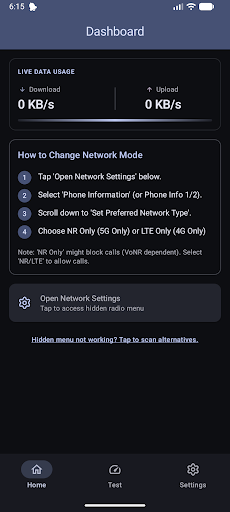


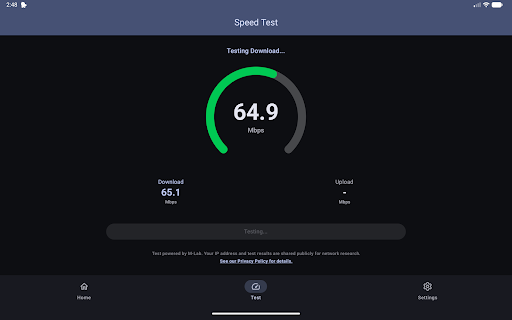


5G Only Network Mode or 4G Only Network Mode.
Take control of your mobile network connection. Tired of your phone constantly switching between 5G and 4G? Want to force your device to stay on 5G or LTE for faster speeds and better stability. 5G/4G Only Network mode allows you to access the hidden "Radio Info" system menu on your Android device. This advanced setting lets you lock your phone to a specific network mode like 5G NR Only, LTE Only (4G). Key Features: 🚀 Force Network Mode: Instantly switch to 5G Only, 4G LTE Only to stop your phone from dropping to slower networks. ⚙️ Hidden Settings: Open the advanced Android Testing menu that is not available in standard phone settings. ⚡ Internet Speed Test: Check your real-time download speed with a single tap. 🔔 Boot Reminder: Set an optional notification to remind you to lock your network band whenever you restart your phone. 📱 Wide Compatibility: Works on major Android devices. Why use this app? • Better Gaming: Lock your connection to 4G/5G to reduce ping and lag. • Faster Browsing: Prevent your phone from auto-switching to slow 2G or 3G in areas with weak signal. • Connection Stability: Force your phone to stay connected to the best available network type. Important Notes: • Hardware Limitation: Some device manufacturers (like certain Samsung or Huawei models) block access to this hidden menu. If the button does not work, it is likely a restriction on your specific device model, not an app bug. • Calls: Selecting "NR Only" (5G) or "LTE Only" (4G) might disable incoming/outgoing calls on some carriers if VoLTE/VoNR is not supported. We recommend selecting "NR/LTE" or "LTE/WCDMA" to allow calls. Download now and boost your network stability!
0 years on Google Play
This app isn't currently appearing in any tracked top charts.