
Cast to TV HD Screen Mirroring
Updated Aug 19, 2026 · v1.2607.10


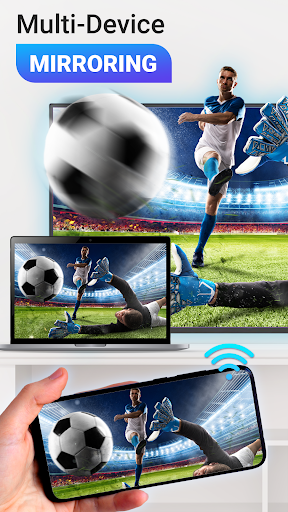


Fast HD screen mirroring, webcast & cast to TV for Chromecast, Smart TVs
Mirror your phone to the big screen with fast, stable performance on most smart TVs. Stream videos, screen share photos, play games, and enjoy your favorite content on TV in just a few taps - no cables or complicated setup needed. ⭐ Key Features 📱 Screen Mirroring in Real Time Cast your phone to the TV instantly with smooth, stable performance. Enjoy mobile games, apps, and presentations on a bigger screen with minimal lag using advanced miracast technology. 🎬 HD Video & Photo Cast Cast video and share photos from your phone in HD quality. Perfect for movie nights, quick video sharing, or viewing memories with friends and family. 🌐 Web Video Cast Cast to TV from any website using fast webcast. Enjoy web video caster and use your phone freely during screencast. 🎵 Music Cast Play your favorite music on your TV. Enjoy clear, vivid sound with smooth music cast and easy control from your phone. 📱 Smart Remote Control Turn your phone into a handy remote. Pause, play, adjust volume, and navigate TV menus easily without a physical remote. 📺 Wide Device Compatibility Works with smart TVs and streaming devices: - Chromecast & Google Cast built-in devices - Roku TV - Amazon Fire TV & Fire Stick - Xbox - Samsung, LG, Sony, Hisense, Panasonic, TCL smart TVs - AirPlay and DLNA devices ⚡ Stable and Fast Connection Enjoy reliable TV cast and screen mirror HD with low latency. Optimized for webcast, gaming, and real-time screencast. 📌 How to Use Cast to TV 1. Connect your phone or tablet and Smart TV to the same Wi-Fi network. 2. Enable Wireless Display on your TV. 3. Open the app → tap ""Connect to TV"" → select your device. 4. Start screen mirroring, webcast, video cast, or photo sharing with your TV. ⭐ Experience fast, reliable screen mirroring and tv cast on any smart TV. ✨ Thank you for choosing Cast to TV - if you have any questions or suggestions, feel free to contact us. We’re always happy to help and improve the app for you. DISCLAIMER: Chromecast is a trademark of Google LLC. This app is not affiliated with or endorsed by Google, Roku or other brands.
0 years on Google Play
This app isn't currently appearing in any tracked top charts.