
TV Cast - Screen Mirroring
Updated Sep 25, 2026 · v2.2.8




Cast Videos, Photos & Music. Enjoy Screen Mirroring, Roku/Fire & Smart TV Remote
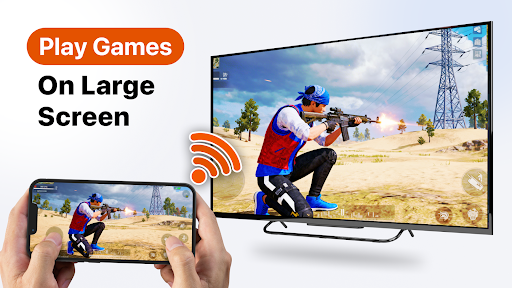
📺 Cast Your Phone to TV Easily Turn your smartphone into a powerful entertainment companion with an all-in-one TV Cast and Screen Mirroring app. Stream videos, share photos, play music, mirror your screen, and control compatible Smart TVs directly from your phone. Enjoy your favorite content on a bigger screen with smooth casting and a simple connection experience. 📱 Cast Videos, Photos & Music Easily cast your favorite videos, photos, and music from your phone to your TV. Share memorable moments with family, watch your favorite videos, or enjoy your music collection on a larger display. 🖥️ Screen Mirroring Made Simple Mirror your phone screen to compatible TVs and streaming devices. View apps, websites, photos, presentations, and more on your TV screen with an easy wireless connection. 🎬 Enjoy Entertainment on Big Screen Bring your mobile entertainment to life by watching videos, movies, and online content on a larger display. Enjoy a better viewing experience from the comfort of your home. 🎮 Play Games on Your TV Mirror your mobile games to your TV and enjoy a more immersive gaming experience with a bigger screen. 🎮 Smart TV Remote Control Use your phone as a convenient Smart TV remote. Control compatible TVs, adjust volume, navigate menus, and manage playback without searching for a physical remote. 📺 Supports Popular Streaming Devices Connect and cast with compatible devices, including: • Chromecast compatible devices • Roku devices • Fire TV devices • Smart TVs • Other compatible streaming receivers ⚡ Fast & Easy TV Connection Connect your phone and TV to the same Wi-Fi network and start casting in just a few taps. Enjoy a simple way to share your content and control your entertainment. ✨ Your Complete TV Companion Whether you want to watch videos, share photos, listen to music, mirror your screen, or control your TV, this app brings essential entertainment features together in one place. Experience convenient TV casting, screen mirroring, media sharing, and Smart TV control anytime. Note: This app is not affiliated with or endorsed by Google Chromecast, Roku, Amazon Fire TV, or any other third-party brands. Available features depend on your TV model, device compatibility, and network connection.
2 years on Google Play
This app isn't currently appearing in any tracked top charts.