
Dashboard Screen Saver
Updated Apr 20, 2024 · v2.96


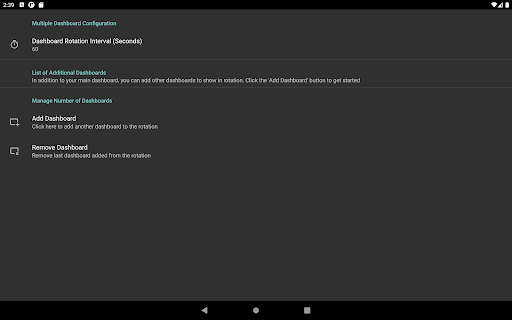

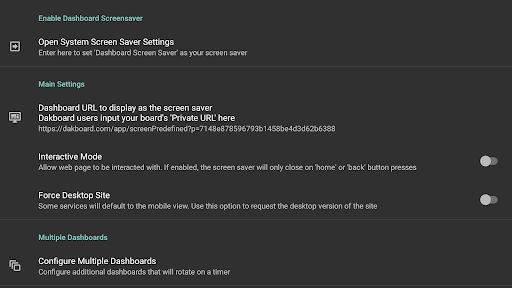

Display your Dakboard dashbaord (or any web page) as your screen saver
Configure any web page - a dashboard, Home Assistant, Dakboard, or MagicMirror - as the screen saver for your Android TV. One-time payment. No ads or upgrades required. 24h trial. Instructions: 1) Set the URL of the webpage to display as your screensaver 2) Go to 'Open System Screensaver Settings' 3) Select 'Dashboard Screen saver' to make it the screensaver. WARNING: Google Chromecast devices removed the ability to set third-party screensavers in Aug 2022 update. This can only be circumvented through adb commands. Other devices can be set through the included UI.
7 years on Google Play
This app isn't currently appearing in any tracked top charts.