
Road Replay
Updated Jul 29, 2026 · v12


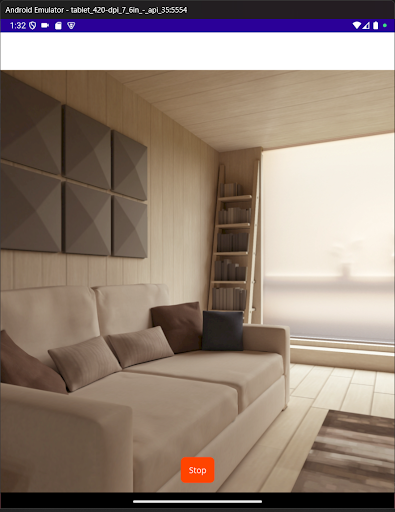


Cloud dashcam: background video + audio, stored locally/cloud with keep/delete.
Turn your phone into a premium, powerful dashcam with automatic cloud backup, offline recording, and smart storage management. Road Replay doesn't just work like a dashcam. With the phone you already carry every day, it IS one. Record with one tap, keep recording while using navigation or music apps, and protect important footage automatically. Premium adds Cloud Backup Mode, Local Buffer Mode, Loop Recording Mode, and Traffic Stop Mode, so your footage stays safe whether you have a signal or not. FEATURES • Background recording Keep recording while using navigation, music apps, or with the screen locked. • One-tap dashcam mode Start recording instantly with a large, simple control designed for driving. • Front or rear camera support Use your rear camera like a traditional dashcam, or switch to the front-facing camera for rideshare driving, traffic stops, or interior recording. • Optional audio recording Choose whether you'd like to record audio during drives. • Live camera preview See exactly what your camera sees while recording. • Cloud Backup Mode (Premium) Clips upload automatically while you drive, then are removed from your phone once safe (except your most recent clip, kept as a safety net), so storage never fills up. • Loop Recording Mode (Premium) Footage is split into short clips instead of one long file, so an interruption only risks the current clip, not the whole drive. • Local Buffer Mode (Premium) Fully offline recording with a rolling window you choose (5, 15, 30, or 60 minutes) that deletes older footage automatically so your storage never fills up and you can run your dashcam as long as you need to. Ideal for areas with no signal, or if you don't want to use cellular data. • Save Mode (Premium) While recording in Local Buffer Mode, turn this on to protect the previous clip plus every clip from that point forward, for as long as you need. • Traffic Stop Mode (Premium) In case you get pulled over, one tap switches to the front camera, unmutes audio, and starts recording, capturing a stop with video and audio instantly. In Local Buffer Mode, it also turns Save Mode on automatically. • Cloud clip library (Premium) Browse, download, restore, protect, organize, or delete uploaded clips anytime. HOW IT WORKS Open the app and grant permissions Tap Record Drive normally, even with the screen locked or other apps open Premium users automatically upload clips to the cloud, or keep a rolling offline buffer, while driving. Stop recording when finished and choose what to keep WHY PREMIUM? Premium turns your phone into a complete dashcam system, online or off. Cloud Backup Mode uploads short clips in the background and removes them from your phone once they're safe, keeping storage usage low. No signal? Local Buffer Mode keeps a rolling window of footage fully offline instead, so you're always covered. Great for: • Daily commuters • Uber / Lyft drivers • Delivery drivers • Road trips • Accident documentation • Security while parked or driving TIPS FOR BEST PERFORMANCE • Set battery optimization to "Unrestricted" for long sessions • Use a secure phone mount with a clear road view • Ensure enough free storage is available while recording • A stable connection improves upload performance in Cloud Backup Mode PRIVACY • Free recordings stay on your device unless you choose to share them • Premium cloud features upload clips and related metadata so footage can be backed up and managed securely • Google Sign-In is used for cloud connection • Google Play Billing is used for subscription management PERMISSIONS • Camera & microphone: record video and audio • Notifications / foreground service: allow background recording on Android • Internet access: cloud backup, browsing, and restoration features SAFETY Always follow local laws regarding recording, audio capture, and phone mounting while driving. Road Replay is not a driver-assistance system. Keep your attention on the road at all times.
0 years on Google Play
This app isn't currently appearing in any tracked top charts.