
Droid Secret Codes
Updated Aug 14, 2026 · v5.5


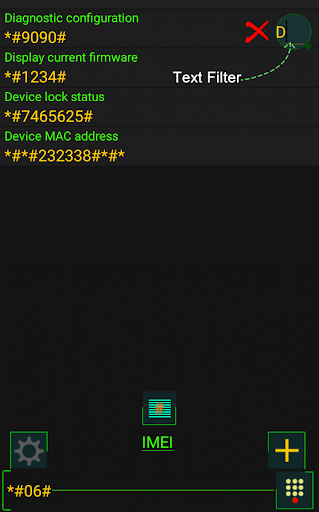

Secret codes & USSD, plus phone diagnostics: battery, sensors, screen & more
Store and manage your USSD & Android Secret Codes — and run built-in hardware tests on your phone. [ No Root Needed ] AndroidCodes keeps your secret/USSD code list in one place and now adds a full set of native device tests, so you can check your hardware even on modern Android versions where many older codes no longer work. SECRET / USSD CODES - Browse a built-in list of Android secret codes and USSD codes - Open codes in your phone dialer (operator/network USSD codes are processed and called) - Add, edit, delete, search and sort your own codes - Import, export, back up and share your code list with other devices or people - Save your favorite codes for quick access HARDWARE TOOLS (no codes required, work on current Android) - Device Information: model, Android version, security patch, RAM, storage, CPU - Battery Health and live Charging / Current (mA & watts) - Sensor Test, Spirit Level, Compass, Proximity, Light (lux) - Screen / Dead-Pixel test, Scratch Identifier, Touch and Multi-touch tests - Vibration and Flashlight / LED tests - Speaker, Microphone, Earpiece, and Headphone / USB-C audio tests - GPS test (fix, accuracy, satellites) - Hardware Buttons test - Full Hardware Test: run every check in one guided pass ABOUT PERMISSIONS - Microphone is used only for the live microphone test - Location is used only for the GPS test (foreground only) - These are never collected or shared KEEP IN MIND - Secret/USSD codes can change some device settings — use them carefully. - Some manufacturers, Android versions, or dialers may not run certain codes (many codes require the stock phone dialer, and Android 10+ disabled several older codes). The hardware tools above work regardless.
10 years on Google Play
This app isn't currently appearing in any tracked top charts.