
eSampark Chandigarh
SPIC Mobile & Web CoE under Deptt of IT Chd. Admn.
Updated Mar 11, 2026 · v2.3.15




The smartest and the safest way to pay electricity and water bills.
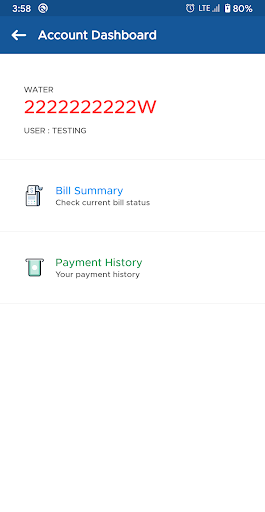
How to add your account number? For Domestic User Account No : A12/345/6789012 as mentioned in the bill should be entered as 3456789012 For Commerical Users Account No should be as Z41000I0082 or X205I150125 What does eSampark Chandigarh app offers? ☆ A fresh and user-friendly app for customers. ☆ Make payments for your Electricity bills. ☆ Make payments for your Water bills. ☆ Make payments using debit cards, credit cards and net banking facility. ☆ View and Download old receipts. ☆ List of all Sampark, Gram Sampark and Kiosk centres. ☆ List of all the services offered at Sampark Centres along with documents and charges information. ☆ GPS location of all Sampark Centres. ☆ List of Sampark holidays. ☆ Submit Feedback. ☆ Contact Information. The application has been developed by the team of SPIC-Microsoft, Centre of Excellence (Chandigarh).
2 years on Google Play
This app isn't currently appearing in any tracked top charts.