
FlixCut: Photo to Video Maker
Updated May 12, 2026 · vVARY


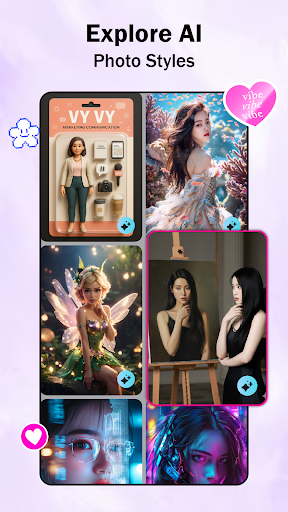
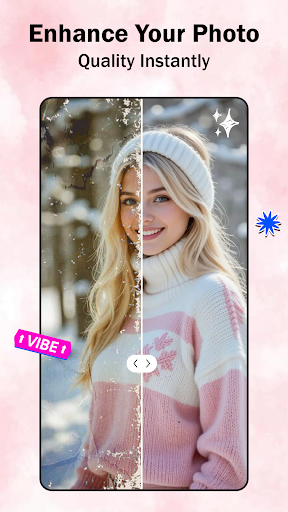
Sharpen and transform your photos into cinematic videos using smart video maker.
Turn everyday photos into eye-catching videos with FlixCut: Photo & Video Editor – a video maker designed to help you create beauty stories in minutes. Whether you're celebrating special memories, sharing travel highlights, or simply bringing your gallery to life, FlixCut gives you provides a variety of editing with an easy-to-use experience. ✨ Turn Photos into Photo to Video Creation - Convert photos into slideshow videos in seconds - Add stylish transitions between images - Choose from multiple frame templates and layouts - Create memorable videos with just a few taps - Export your final video in Full HD quality With FlixCut, turning photos into videos is fast, straightforward and organized. 🎨 Smart Photo & Video Editing App FlixCut functions as a slideshow maker and a photo to video editor — it’s a complete photo and video editor. - Crop, rotate, and adjust images easily - Fine-tune brightness, contrast, and color - Enhance images using built-in AI photo enhancer - Apply smart AI video editing for smoother results - Create polished videos with minimal effort The video maker app help your content look sharp, clear, and vibrant. 🎶 Add Music to Your Story Add music to create an engaging slideshow - Add music to video easily - Sync your favorite songs with photo transitions - Adjust timing for a your desired timing - Turn simple slides into dynamic music videos - Bring your memories to life with sound and rhythm. ✨ Filters, Effects & Creative Styles Personalize your slideshow - Apply modern video filters - Explore cinematic effects and overlays - Use styled frame templates for stylish layouts - Customize transitions to match your mood 🖼️ Image Sharpening & Clarity Improve the visual quality of your photos before adding them to your videos. - Refine Image Detail: Use the sharpening tool to reduce blur and define edges in your photos. - Clarity Adjustment: Adjust the focus of your images to ensure a consistent look throughout your slideshow. - Quality Restoration: Process low-resolution or older photos to improve their visibility. - Manual Precision: Fine-tune the sharpness levels to suit the specific requirements of your project. 🤖 AI Image Generator Create new visual content by combining your photos with pre-set style templates. - Style-Based Transformation: Select a template and apply its artistic elements to your chosen image. - Image-to-Image Generation: Use existing photos as a base to generate new variations in different styles. - Consistent Visual Themes: Apply a single style template across multiple images for a unified video appearance. - Creative Processing: Transform standard photos into stylized graphics using integrated AI technology. FlixCut keeps editing simple while delivering creative, eye-catching results. 🔥 Why you should Choose FlixCut? ✅ AI-powered photo enhancement ✅ Various frame templates and transitions ✅ Full HD video export ✅ Designed for both beginners and creative users 💡 With FlixCut: Photo & Video Editor, your photos become more than images — they become expressive slideshows, creative videos, and meaningful stories ready to share with the world.
This app isn't currently appearing in any tracked top charts.