
Video Converter
Updated Apr 15, 2026 · v10.1

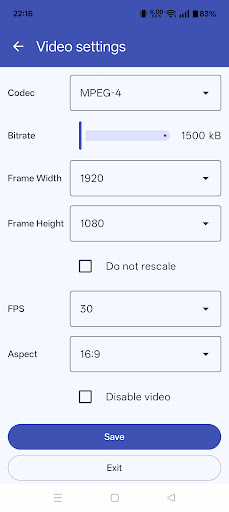


Transform your Android device in a complete multimedia converter and compressor!
Transform your Android device in a complete multimedia converter and compressor! With its simple and essential user interface, Total Video Converter let you start a conversion in two fast steps: just choose an input file and select the output format. A lot of advanced options are available, for example you can set the output filename or change audio/video codec or bitrate, you can set metadata information (such as title or author) or even cut your multimedia file and play it on your Android device. The actual version of Total Video Converter for Android supports the following output formats: 3gp, aac, ac3, avi, flac, mp2, mp3, mp4, mpg, mkv, mov, ogg, wav, wma, wmv. The input file range instead covers much more formats, almost any multimedia file type. Total Video Converter can identify the CPU architecture of your phone/tablet in order to install the right (and free) codec package and to grant you the best conversion experience. This is the free advertised version of Total Video Converter that has most of the features enabled. If you hate ads and you want to enjoy of all the features you can buy the pro key that only costs peanuts.
12 years on Google Play
This app isn't currently appearing in any tracked top charts.