
Light TPMS
Updated Dec 11, 2025 · v1.2.5


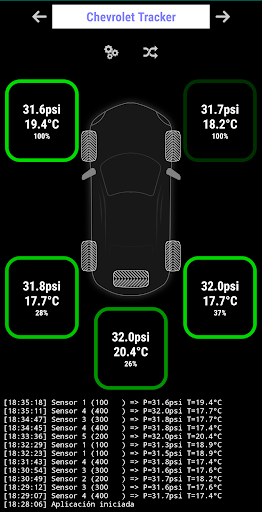
Manages TPMS sensors
This application manages the generic TPMS sensors (Asian manufacturing). The application tries to consume the least amount of resources, does not contain special graphics to avoid the consumption of the resources of the device. How to use it: 1) Enable Bluetooth on the device. 2) Accept the permissions requested for the application. 2) In the program, wait for the sensors to be detected and determine their position or define them by pressing on the desired position. 3) Wait for the sensors to send data. 4) If someone does not respond, it may be defective or not installed correctly, in any case try to raise or lower the pressure to see if it sends data. If you like the application, you can collaborate by buying the premium version, which gives you space for the spare tire, removes advertising and incorporates some visual improvements to the application. Remember that Android requests location permissions (https://developer.android.com/guide/topics/connectivity/bluetooth-le#permissions) to be able to scan BLE devices such as TPMS sensors. The application does not really locate the position of the device or send that information to the internet (it does not have permission to send data online).
7 years on Google Play
This app isn't currently appearing in any tracked top charts.