
Auto Move To SD Card
Updated Aug 7, 2026 · v2.2


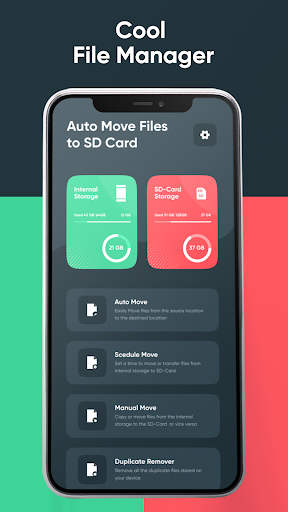
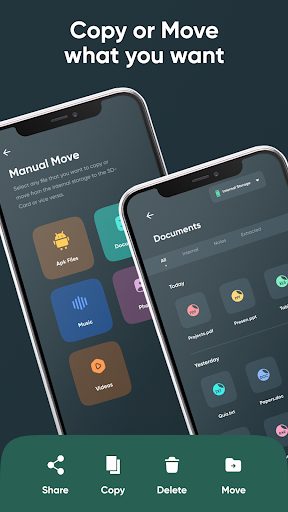


Easily Transfer Apps to SD Card and Manage Storage
Struggling with low phone storage? "Auto Move to SD Card" is here to help! 📱 Effortlessly transfer your apps, photos, videos, documents and audios to an SD card and free up internal memory, ensuring your phone runs smoothly. Seamlessly transfer apps to your SD card to free up space and keep your device running efficiently. Our app automates the process, making it easy to manage your storage. Key Features: 🔄 Manual Move: Manually move apps to the SD card with just a few taps. Perfect for those who like full control over their storage. ⚙️ Auto Move: Automatically move apps to the SD card as soon as they are installed. Set it and forget it! ⏰ Schedule Move: Set a schedule to move apps at a convenient time. Ideal for regular maintenance without interrupting your workflow. 🔧 App Settings: Customize your app experience with flexible settings tailored to your needs. 📲 Internal Storage: Monitor and manage your internal storage to keep your phone optimized. 💾 SD Card Storage: View and manage your SD card storage easily and efficiently. 🚀 Easy Transfer: Quickly move apps to SD card with just one tap. No more manual transfers! 🔄 Automatic Transfers: Set up automatic transfers to keep your phone’s internal storage free without any hassle. 📦 Storage Management: Effortlessly manage and organize your SD card and internal storage. Our intuitive interface makes it simple for everyone. 🧹 Space Cleaner: Identify and transfer large apps to SD card to free up phone space and improve performance. ⚡ Performance Optimization: Keep your phone running at its best by regularly transferring apps to SD card and freeing up internal memory. 👌 User-Friendly Interface: Enjoy a clean, intuitive design that makes managing your storage easy and efficient. Why Choose Us? ✅ Reliable and Efficient: Our app is designed to handle your storage needs with efficiency and reliability. 🔄 Regular Updates: We continuously update our app to provide you with the best features and performance improvements. 🛠️ User Support: Our dedicated support team is here to help with any issues or questions you may have. How to Use: 📥 Download and Install: Get the app from the Play Store and install it on your device. 📲 Open the App: Launch the app and grant necessary permissions. 📂 Select Apps: Choose the apps you want to move to your SD card. 🚀 Transfer: Tap the transfer button and let our app handle the rest. Download "Auto Move to SD Card" now and enjoy a clutter-free phone! 📱✨ Auto Move to SD Card - Free Up Phone SpaceKeywords: 💾 Move apps to SD card 💾 SD card manager 💾 Free up phone space 💾 External storage manager 💾 App to SD card 💾 Transfer apps to SD 💾 Storage cleaner 💾 SD card cleaner 💾 Manage phone storage 💾 Phone memory optimizer 💾 Schedule app moves 💾 Automatic app transfer 💾 App settings customization 💾 Internal storage management 💾 SD card storage management Disclaimer: This tailored app is designed by our dedicated team of developers. Time to transfer data may vary depending upon user sd card quality. In case user lose any data while transferring it into physically damaged sd card or using app functions for his personal purposes other than the specified for this app; we bear no responsibility for such damages. What's New: Added Schedule Move feature: Set a schedule to move apps at your convenience. Improved Auto Move functionality: Faster and more efficient transfers. Enhanced user interface: Easier navigation and better user experience. Bug fixes and performance improvements: Based on user feedback.
3 years on Google Play
This app isn't currently appearing in any tracked top charts.