
Screen Recorder & Video Editor
Updated Aug 23, 2026 · v4.4.11




HD Screen Recorder & Video Editor. Record screen, edit, add music to videos.
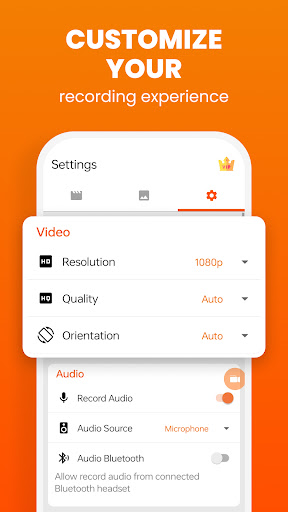
🎬 Screen Recorder & Video Editor — Record, Edit & Share in HD AS Screen Recorder is a powerful screen recording and video editing app that lets you record your screen in high-quality HD with internal audio, facecam, and no watermark. Record gameplay, tutorials, online classes, video calls, and presentations. After recording, you can instantly edit videos using the built-in video editor — trim, crop, add music, compress videos, and more. Perfect for gamers, content creators, students, educators, and professionals who need an easy and powerful screen recorder. 📥 Download now and start recording and editing like a pro! 🔑 Why Choose AS Screen Recorder? 🌟 No Watermark Screen Recorder Record clean and professional videos without logos or watermarks. 📽️ HD Screen Recording Capture your screen in up to 1080p resolution with customizable bitrate and FPS. 🔊 Internal Audio & Microphone Recording Record system sound, gameplay audio, or voice commentary for tutorials and gameplay videos. 📸 Facecam Screen Recorder Add a facecam overlay to record reactions, commentary, or explanations. 🎨 Drawing & Overlay Tools Add text, logos, or drawings while recording. 📤 Instant Video Sharing Share your recordings directly to YouTube, TikTok, Instagram, Facebook, and other platforms. 🎬 Powerful Built-in Video Editor Edit your recordings easily with the all-in-one video editor. ✂️ Trim Video Cut unwanted parts and keep the best moments. ⚡ Speed Control Speed up or slow down your videos. 🔄 Rotate & Flip Video Fix orientation or mirror your videos. ✂️ Crop Video Crop your recording to highlight important areas. 🎨 Adjust Video Colors Improve video quality with: Brightness Contrast Saturation 🌫 Blur Video Hide sensitive information or create stylish effects. 📝 Text Overlay Add titles, subtitles, or captions to your videos. 🎵 Add Music to Video Insert background music for engaging content. 🔇 Mute Video Remove unwanted audio from recordings. 📦 Video Compressor Reduce file size while keeping high quality. ✨ Features You'll Love ⏰ Unlimited screen recording time 🎮 Smooth gameplay recorder with lag-free performance ✂️ Video trimmer and video cutter built-in 📱 Easy-to-use interface 🚫 Hide recording controls for clean recordings 🔄 Portrait & landscape recording modes 🔒 Privacy-focused — no personal data collected 🎮 Perfect For Every Use Case 🎮 Gamers Record gameplay, highlights, and walkthrough videos. 📚 Students & Educators Create tutorials and record online classes. 💼 Professionals Record presentations, demos, and meetings. 🎥 Content Creators Create engaging videos with screen recording + video editing. 📞 Everyday Users Record video calls, livestreams, and important moments. 📼 High-Quality Recording Settings Customize your recording experience: • Resolution up to 1080p HD • Adjustable bitrate • Smooth FPS for gameplay recording • Internal audio recording support 🚀 Record, Edit & Share — All in One App With AS Screen Recorder, you can record your screen, edit your videos, and share them instantly. Whether you're creating gameplay videos, tutorials, online classes, or social media content, this powerful screen recorder and video editor gives you everything you need. 📥 Download AS Screen Recorder now and start creating amazing videos! 📩 Contact: admin@lilylive.app
5 years on Google Play
This app isn't currently appearing in any tracked top charts.