
Knobbler
Updated Jul 2, 2026 · v2026.6.17




Parameter control and navigation for Ableton Live
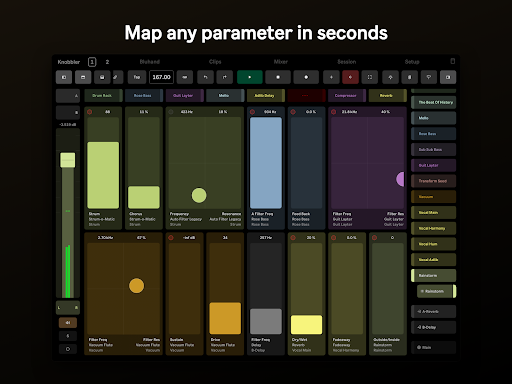
Knobbler4 turns your Android Tablet into an auto-labeling, auto-coloring, multitouch parameter control surface for Ableton Live. Simply add the Knobbler4 device to your Live Set and use the Knobbler app to use your tablet to control devices and parameters. Navigate your tracks, groups, racks and devices faster and easier than ever. Control every parameter and build a customized interface that is saved with your Live sets. Mix every track, hands-on. Launch and record clips and scenes. Ableton Live 12 that can run Max for Live is required (either the Suite version or Standard with the Max for Live add-on will work). Visit https://plugins.steinkamp.us/m4l-Knobbler4 to download the Ableton Live device to use with this app. Ensure it works with your system before purchasing this app. Map parameters in your Ableton Live set to unmapped sliders on the tablet with a single touch. No need to enter and exit a mapping mode. Access every parameter in the currently selected device, directly on the tablet. Parameter mapping configuration is saved with your Live Set, so you can switch between songs with minimal friction. Track, device, and parameter names are kept synchronized with your Live Set as you change them, even track colors! Parameter sliders and values are updated in real time, with the same units (e.g. dB, ms, %) displayed as what you see in Live. Double tap a slider on the tablet to reset the parameter to its default value. Swipe in the Navigation controls on the right side to dive into your tracks, groups, racks, and devices faster than ever before. Swipe in from the left to show a channel strip with familiar mixer controls, including color-coded sends. Knobbler is there to keep you out of the computer and in the creative moment, unlocking more of your music making potential.
1 year on Google Play
This app isn't currently appearing in any tracked top charts.