
Anti Theft Intruder Selfie
Updated Jul 21, 2026 · v11.0




See who touched your phone. Catch intruders with photo, alarm & alerts.
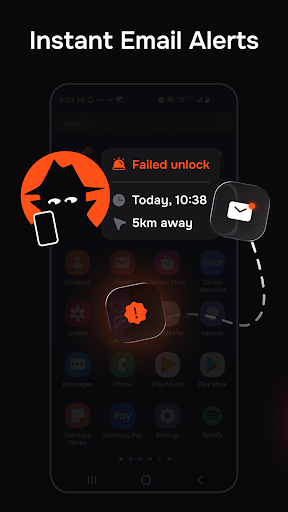
Want to know who touched your phone while you were away? Anti Theft Intruder Selfie helps you detect unauthorized access and suspicious unlock attempts, letting you see who tried to unlock your phone after a wrong PIN, pattern, or password. Turn suspicious unlock attempts into clear proof. The app captures intruder photos, triggers alarms or email alerts, and saves event details — including location — helping you monitor and protect your phone more effectively. If you’ve ever searched for “who touched my phone” (WTMP), this app helps you see exactly what happened during failed unlock attempts. How it works 1. Choose how many failed unlock attempts trigger protection 2. Select how the app reacts — photo, video, alarm, email alerts, or lock screen message 3. Review captured evidence and event details anytime Simple setup. Automatic protection. FEATURES 📸 Intruder Photo & Video Capture Automatically capture photos or videos when someone tries to unlock your phone. Use the front or rear camera to capture clear evidence of unlock attempts and review the event later. 🔔 Sound Alarm Trigger a loud alarm after failed unlock attempts to scare intruders away and act as an anti-theft deterrent. Choose a custom alarm sound and control when it activates. ✉️ Email Alerts Receive instant email alerts when someone tries to unlock your phone. Stay informed even if your device isn’t nearby. 🕵️ Stealth Mode Silently capture evidence without alerting the intruder. The app can show a fake home screen and stay hidden while recording unlock attempts. 📍 Location Saved Each unlock event can include location information, showing where the attempt happened without constant tracking or live monitoring. ☁️ Cloud Sync Automatically back up captured photos and videos to the cloud for remote evidence access. Keep your data safe and accessible even if your phone is lost or taken. 🔒 Lock Screen Message Display a custom warning message on the lock screen after failed unlock attempts. ⚙️ Customize Protection Choose how your phone reacts — photo or video capture, alarm, alerts, stealth mode, and more. Adjust settings anytime to match your needs. Use Anti Theft Intruder Selfie when your phone is unattended or left within reach of others — at work, at home, or in public places. Choose between a loud alarm or silent evidence capture and stay in control of your device. The app respects your privacy. It activates only after failed unlock attempts and does not track you in the background. All captured data stays on your device or in your cloud storage. Stop wondering who opened your device. Stay in control of your phone and see what happens during unlock attempts. Choose how your device reacts, review captured evidence, and keep your personal data secure — install Anti Theft Intruder Selfie today.
0 years on Google Play
This app isn't currently appearing in any tracked top charts.