
PDF Converter : Image to PDF
Updated Oct 8, 2026 · v5.6


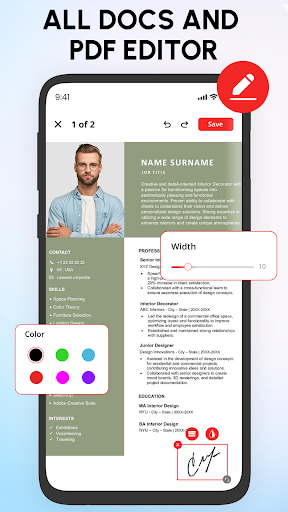


Convert image to PDF effortlessly and Manage PDF files with PDF Editor tool
Transform Your Documents with Ease and handle all your Personal & Professional Documents in one powerful PDF Scanner app. No more switching between tools or struggling with conversions. With PDF Reader : PDF Converter, you can scan, convert to PDF, and organize your files effortlessly. Whether it's turning a paper document into a digital PDF, converting an Image to PDF, or importing and managing files on the go, PDF Viewer makes your workflow seamless and stress-free. Get the PDF Scanner app to simplify your document management. 🌟 Key Features of PDF Reader : PDF Converter - Scan documents for conversion of Image to PDF - Import files from multiple sources & Scan to PDF - PDF Editor, OCR Scanner & PDF Maker - Image to PDF conversion for photos and notes - Merge multiple PDFs or split a large PDF into smaller parts - convert to PDF & PDF reader viewer 📔PDF Scanner Turn your physical documents into digital copies with PDF Scanner - Document Scanner app. Use your device’s camera to scan receipts, invoices, contracts, notes, or any other paper document. - convert images using edge detection and cropping. - Save your scans as PDF in a document scanner for quick access 🔄Image to PDF With pdf maker convert your images into PDF files. Whether it’s photos, screenshots, or scanned images, you can combine and save them in a single PDF document. - Adjust the layout, orientation, and order of images with pdf maker - Customize your PDF with different page sizes and quality settings. - Image to PDF Converter is useful for creating digital copies of photos, receipts, etc. 📜Word to PDF Doc converter to convert Word documents into Edit PDF format. PDF editor makes this process seamless and fast. - Select Word files directly from your device - Convert .doc and .docx files into professional-looking PDFs - Doc converter is Ideal for creating resumes, reports, or presentations in Edit PDF format. 🧾Import Files - Import from device storage, cloud services, or email attachments. - Organize your imported files for quick access. - Combine multiple files into a single edit PDF with the merge PDF feature. - Support for multiple file formats, including images, Word documents, and PDFs. 💻💢Why Choose PDF Reader : PDF Converter? PDF Viewer &Scanner is designed to simplify your document management tasks. Instead of juggling multiple tools, use this all-in-one PDF editor tool to scan documents, convert to PDF, and organize your files. pdf reader's clean interface and advanced features make it perfect for both personal and professional use. With PDF Reader : PDF Converter, managing your documents has never been this much easier. Download this Document Reader app today and experience the convenience of having all your essential tools in one place!
5 years on Google Play
This app isn't currently appearing in any tracked top charts.