
Muter, Mute/Unmute Mic Vol Key
Updated Jul 22, 2026 · v2.4


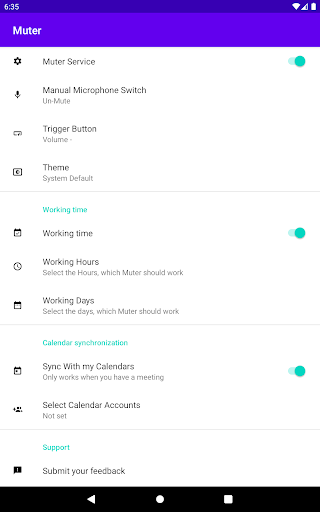


Mute or unmute your microphone instantly using your volume keys.
Mute or unmute your microphone instantly using your volume keys. Muter allows you to control your device’s microphone without opening settings or searching for on-screen buttons. With a simple press of the volume keys, you can quickly toggle mute during calls, meetings, voice chats, or recordings. Designed to be lightweight, privacy-focused, and simple. How It Works Install the app Enable Accessibility permission Press the volume keys to toggle microphone mute That’s it. Why Accessibility Permission Is Required Muter uses the Android AccessibilityService API only to detect hardware volume key presses. Accessibility access is used exclusively to: • Detect volume button presses • Trigger microphone mute/unmute functionality Accessibility is NOT used to: • Read screen content • Capture text or personal information • Monitor user behavior • Modify system settings without consent • Prevent uninstalling the app • Bypass Android privacy controls • Record calls or audio • Collect or transmit data The app will not function unless the user manually enables Accessibility permission. It can be disabled at any time in Android settings. Privacy First – No Data Collection Muter does not collect, store, transmit, or share any user data. • No personal information • No usage tracking • No analytics • No ads • No external servers • No cloud connection All functionality runs entirely on your device. Microphone Permission Microphone access is used only to enable mute/unmute control. The app: • Does not record audio • Does not store audio • Does not upload audio Simple. Secure. Local. Muter is built with one purpose: fast microphone control using your hardware keys — without compromising your privacy. If you need quick mute access during meetings, calls, or voice sessions, Muter provides a minimal and reliable solution.
5 years on Google Play
This app isn't currently appearing in any tracked top charts.