
Screen Mirroring Cast to TV HD
Updated Aug 1, 2026 · v1.0.4


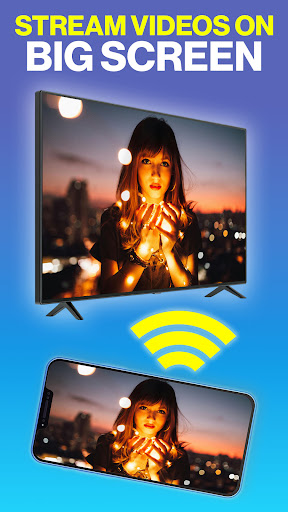

Mirror your phone screen to TV easily via Wi-Fi or USB. Cast videos and photos.
Screen Mirroring Cast to TV HD App – Mirror Phone to TV Connector Bring your entertainment to the big TV screen! Screen mirroring - Mirror screen lets you cast your phone's screen to a smart TV easily and wirelessly. Use the mirroring receiver app to cast your phone's screen to a smart TV. Stream videos, play games, share photos, or show presentations directly on your TV — all in high-definition quality. Connect your phone and TV through the same WiFi network in a smart view and enjoy a seamless casting experience through Screen Mirroring with TV App. Whether you’re using Chromecast, Roku, Fire TV, DLNA, or Miracast-enabled Smart TVs, Screen Mirror app helps you share screen instantly — no cables, adapters, or complicated setups required. 🎬 Why Use Screencast App? • Simple one-tap connection for fast Screen Mirroring - Miracast. • Works smoothly with Chromecast, Roku, Fire TV, AnyCast and Miracast - Castto devices. • Supports popular Smart TV brands like Samsung, LG, Sony, Hisense, and TCL. • Stable HD display with low latency for videos and games. • Miracast & screen mirroring/cast screen app designed for movies, games, and home entertainment. 🧭 How to Connect and Start Casting 1️⃣ Your TV should support Wireless Display or any sort of Display Dongles. 2️⃣ Connect your Android phone or tablet and Smart TV to the same Wi-Fi network. 3️⃣ Open the Screen Mirroring - Cast to TV app and tap “Cast”. 4️⃣ Enable “Wireless display” on your phone. 5️⃣ Enable “Miracast Display” on your smart TV. 6️⃣ Search and choose your TV or compatible device from the list. Instant mirror cast to your Smart TV in HD. The Smart View apps make it quick and easy to connect to your Smart TV, but you can also connect through a HDMI connection like USB Connector Cast Phone to TV. Enjoy a smooth, clear, and lag-free android screen mirroring - all mirror experience every time! 🌐 Supported Devices and Technologies • Chromecast – Stream content, videocast on TV or mirror your phone screen on smart TV/Display. • Roku – Share videos, photos, on your Roku TV. • Amazon Fire TV – Mirror Android screen to Fire TV or Fire Stick. • DLNA & Miracast – Connect to compatible Smart TVs and receivers. • Smart TVs – Samsung, LG, Sony, Hisense, Philips, Panasonic, and others. • Screen share Receivers – Works with compatible USB Screen Share - Phone to TVs and receivers (when supported). 🎮 Big Screen Experience for Everyone • Watch your favorite movies and shows on the Miracast TV mirror. • Play mobile games on a larger screen for better control. • Share photos and videos with family and friends. • With This Mirror Cast App you can conduct meetings and presentations wirelessly. 💡 Tips for the Best Casting Experience • Ensure both devices are on the same Wi-Fi network. • Close background apps for smoother performance. • Update your TV’s firmware to the latest version. 🔒 Safe and Private Smart TV Cast connects devices through your local network only. Your videos, photos, and data never leave your personal devices. It’s a private, secure, and reliable Screen Sharing wirelessly experience built for everyday use. 📲 Start Casting Now! Download Cast to TV: Screen Mirroring App and enjoy wireless screen sharing app experience on your Smart TV. Transform your small screen into a big-screen TV entertainment hub — anytime, anywhere! Disclaimer: This app is not affiliated with Roku, TCL, Samsung, LG, Vizio or any other trademark mentioned here.
0 years on Google Play
This app isn't currently appearing in any tracked top charts.