
Screen Time Monitor & Usage
MULTIVARIATE AI PRIVATE LIMITED
Updated Aug 5, 2026 · v3.0.6
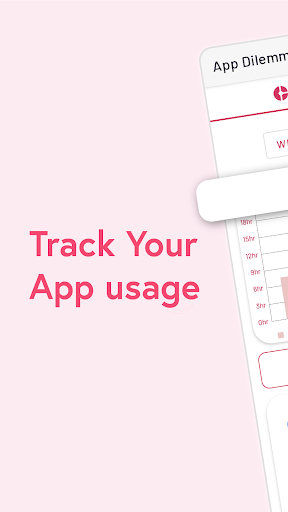


Improve your digital wellbeing by tracking app usage.
Screen Time & Phone Usage Tracker Do you spend excessive time on digital platforms? Looking for a way to monitor your smartphone habits? Want to reduce social media distractions? Finding it difficult to stay on top of your daily routine? If so, Screen Time & Phone Usage Tracker for Android is exactly what you need! This digital wellbeing application helps you monitor app activity, reduce distractions, manage your time more efficiently, and improve productivity. Gain valuable insights into your smartphone habits and build a healthier digital lifestyle. App Monitor & Usage Statistics Statistics Track detailed app usage statistics and trends through easy-to-read hourly, daily, and weekly charts. • Hourly Reports – Get quick insights into your smartphone usage throughout the day. • Daily Reports – Review your screen time and app activity at the end of each day. • Weekly Reports – Analyze long-term trends and behavioral patterns. Set app usage limits and maintain a productive, balanced routine. Screen Time Analysis The Screen Time section categorizes usage duration across different applications. Features include: • Detailed app usage history for the past hour, day, or week. • Accurate tracking of app usage time down to the minute. • Easy identification of your most frequently used apps. Data Export Upgrade to save your activity data directly on your device. Backing up your statistics helps with goal setting, progress tracking, and long-term habit improvement. Sort & Filter Options Sort Data Organize app reports in ascending or descending order to quickly identify your most-used or least-used applications. Filter Options Filter app data by: • Total usage time • App name This makes it easier to find and analyze specific apps. Device Unlock Tracking Monitor how often you unlock your device with: • Hourly unlock reports • Daily unlock reports • Weekly unlock reports Understand your smartphone interaction patterns and identify opportunities to reduce unnecessary screen usage. Settings & Backup Features App Settings • Enable or disable daily usage notifications. • Access in-app purchases (Lifetime and Monthly subscriptions). • Support ongoing app development. Backup & Restore • Automatic daily backup to Google Drive. • Manual backup and restore options. • Backup information includes: Main Features No Setup Required Simply download the app, open it, and start tracking instantly. Simple User Interface Enjoy a clean, intuitive, and easy-to-use design. 24/7 Monitoring The tracker automatically starts monitoring after installation and continues running in the background. App Time Tracking Stay informed about how much time you spend using apps and your device overall. Works Offline Track your usage without requiring an internet connection. Free to Use The app is free to download and contains no intrusive advertisements. Why Use Screen Time & Phone Usage Tracker? By monitoring and analyzing your smartphone habits, you can: • Reduce digital distractions • Improve productivity • Develop healthier screen time habits • Manage your time more effectively • Stay focused on what truly matters Take control of your daily screen time and build a more balanced digital lifestyle. Install Screen Time & Phone Usage Tracker today and start your journey toward healthier smartphone usage!
5 years on Google Play
This app isn't currently appearing in any tracked top charts.