
Notification Sound Manager
Updated Sep 9, 2026 · v1.19
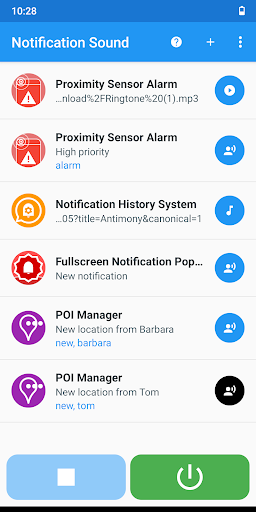


Set custom sounds for notifications
TUTORIALS https://youtube.com/playlist?list=PLUskUU-NvGqjBqCeBey6yBTEKyt3FH0p2 TROUBLESHOOTING https://julietapp.blogspot.com/p/troubleshooting-general.html This app allows you to set custom notification sounds. You can also set keywords to play the sound only if the notification contains them. NOTES • Only notifications of enabled apps will be considered • The default notification sound will not be changed OPTIONS • Custom sound: You can choose any audio file • Ringtones • Text to speech FEATURES AND BENEFITS • No root • Ability to set up multiple services • Ability to define keywords contained in the notification text • Ability to define multiple conditions for the same app • Ability to configure multiple services for the same app • Ability to define a different sound for each app • Ability to announce a notification without reading its content • Backup and restore data • Easy to use WARNINGS • If the Text-to-speech service does not work, make sure the internet connection is available • After restoring a backup file, you need to reset the audio files to regain access permissions
4 years on Google Play
This app isn't currently appearing in any tracked top charts.