
MobileMic To Bluetooth Speaker
Updated Mar 25, 2026 · v30.0
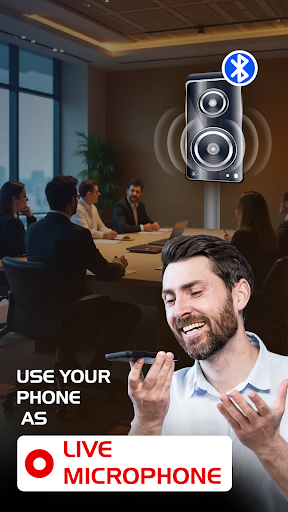


Turn your mobile into a mic! Connect and use it with your Bluetooth speaker.
Turn your mobile phone into a wireless microphone with the MobileMic to Bluetooth Speaker app! Whether for public speaking, karaoke, or fun with friends, this app offers a seamless mic and recording experience. 1. Turn Your Mobile into a Microphone! Connect your mobile device to any Bluetooth speaker and instantly use it as a microphone. With this seamless connection, transfer your voice from mobile to Bluetooth speaker for parties, speeches, or just singing along to your favorite songs. 2. Hold to Record, Release to Pause Experience a unique recording feature where you can hold the button to start recording and release it to pause. Need to continue? Just press and hold again! Create flawless single audio files without interruptions. Use cases for this functionality: - Content Creators: Ideal for creating voiceovers, or narration without multiple audio files. - Teachers and Educators: Record lessons, tutorials, or explanations, pausing to think or switch topics. - Public Speakers and Presenters: Practice speeches by recording in sections, pausing to reflect or adjust delivery. - Musicians and Singers: Capture song ideas or practice sessions, pausing to rework lyrics or tunes. - General Users: Record memos, personal notes, or important reminders on the go. 3. Tap to Record, Tap Again to Stop This feature allows you to start and stop recording with just a single tap. Perfect for quick and hassle-free audio recordings. 4. Manage Your Recorded Files with Ease Access your recorded audio files in a user-friendly list view with filters for easy sorting. From here, you can: - Share your recordings with others. - Delete files you no longer need. - Set your favorite recordings as ringtones to customize your device. 5.Trim Any Audio File with Precision Take full control of your audio files with Audio Trimmer – built right into the app! Easily cut, edit, and trim MP3 or other audio files stored on your device. Whether you want to create ringtones, edit voice recordings, or shorten music clips, this feature is designed to make mobile audio editing quick and effortless. - Trim MP3s and other audio formats directly on your phone - Set start and end points with precision - Save trimmed audio for use as custom ringtones, alarms, or notifications - Reuse or share trimmed clips via social apps or messaging This is your go-to app for wireless mic functionality and audio recording needs. Whether you're a content creator, a karaoke enthusiast, or someone who loves experimenting with sound, this app is designed to meet your needs. Download now and elevate your audio experience!
4 years on Google Play
This app isn't currently appearing in any tracked top charts.