
BT Baseball Scoreboard
Updated Dec 23, 2025 · v1134




High Quality Scoreboard
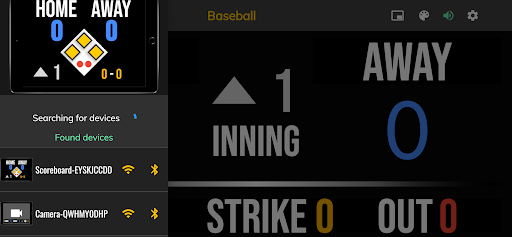
Limited time mega sale $4.99 ends 3/1/2025, regular price $14.99. App requires no subscription. Please leave a review to help our growth. One of the cleanest baseball scoreboard apps on the market with many convenient features. The BT Baseball Scoreboard app is the next best option to investing in an expensive professional grade scoreboard. Scoreboard equipment which can cost you thousands is now available and affordable to everyone in the baseball community. Synchronize Compatible Devices: - Search on App Store "BT Baseball Camera" - Search on App Store "BT Baseball Controller" BT Baseball Scoreboard App Features: - Clean design, no ads - Intuitive direct tap and swipe controls - Remotely control scoreboards, cameras, and other devices with WiFi or Bluetooth - Fully customizable game in the settings - Quick Start Documentation below The BT Baseball Scoreboard app was created by The Basketball Temple Company. After the success of our basketball products, we have expanded into other sports. The Basketball Temple Company focuses on high quality basketball academies, basketball leagues, and technologies that are used to support those academies and leagues. We open our technology to the public so everyone in the basketball community can experience the same technologies that we use within our institutions. # Remotely Synchronize Compatible Devices Quick Start Documentation: - Tap on top-left connect icon (or swipe left-to-right on the left edge) to open connect menu - Hit "Refresh" to find devices - Tap on WiFi or Bluetooth icon to connect, green icon indicates connected - If unable to connect or having connection errors try one of the following: 1) please ensure all devices are on the same WiFi network 2) please ensure bluetooth is turned ON on all devices 3) lastly, try to restart the app on all devices
1 year on Google Play
This app isn't currently appearing in any tracked top charts.