
qBitConnect - Torrent Remote
Updated Jul 24, 2026 · v2.0.6




qBitConnect - Remote qBittorrent Manager
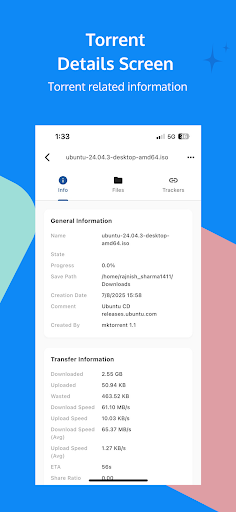
qBitConnect – Remote qBittorrent Manager Features • Remote Access • Connect to your qBittorrent server securely • Monitor download and upload progress in real time • View torrent status, speeds, and details Real-Time Updates • Live updates every few seconds • Smart polling with change detection • Instant status refresh Torrent Control • Pause, resume, and delete torrents • Perform bulk actions on multiple torrents • Set file download priorities • Rename torrents and change save locations • Force recheck and reannounce Detailed Torrent Information • View complete torrent metadata • See tracker performance and peer connections • Monitor transfer history and statistics • Access individual file information Modern User Interface • Clean Material Design 3 layout • Dark and light themes • Responsive interface for all screen sizes • Status indicators with progress and speed display Secure Connections • Password-protected access • Supports custom HTTP headers • Auto-reconnect and connection validation File Management • Manage individual files in torrents • Set and track file download progress • View size and completion status Smart Features • Automatically connect to saved servers • Custom server naming • Adjustable polling intervals • Error handling and offline mode support Cross-Platform Compatibility • Supports all qBittorrent versions with Web UI • Works with both local and remote servers • No additional software required Note: A properly configured qBittorrent Web UI is required for this app to function.
0 years on Google Play
This app isn't currently appearing in any tracked top charts.