
Limitless Paint - Giant Canvas
Updated Aug 19, 2026 · v4.0.4




Draw, sketch & take notes on a giant offline canvas.
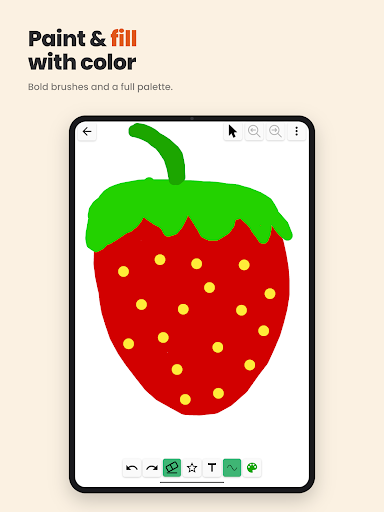
An (almost) endless canvas. Every stroke is vector. LimitlessPaint is a vector drawing app built around one idea: never run out of room. Pan and zoom across a colossal workspace and sketch, paint, plan, take notes or map out an idea - all on the same infinite canvas, at any scale. Drawing is more than a hobby. It is a way to think out loud, build creativity, learn something new and simply have fun. LimitlessPaint keeps that easy for all ages, from a kid's first doodle to a detailed sketch or a full project plan. WHY YOU'LL LIKE IT - 100% offline - the app requests no internet permission at all, so it works anywhere and never phones home - No account, no sign-up, no ads - We do NOT collect any kind of user data - Free, lightweight and instant to open DRAWING TOOLS - Vector free draw - smooth brush strokes that stay sharp at any zoom level - Brush sizes from hairline to broad, plus an AUTO width that keeps a stroke the same thickness on screen however far you zoom in or out - Solid, dashed and dotted line styles - Full color palette, with the colors you just used remembered per drawing - Eyedropper - pick any color straight off the canvas - Set a background paper color for the whole drawing - An eraser that erases what you actually see, down to the holes inside letters - Undo and redo, up to 100 steps SHAPES - 14 ready-made shapes: line, triangle, rectangle, diamond, hexagon, circle, ellipse, 4-point and 5-point stars, arrows in all four directions, and a 3x3 grid - Outlined or filled, any color, any size TEXT ON CANVAS - Type text anywhere on the canvas in 7 font styles: sans, serif, monospace, cursive, casual, light and condensed - Any text size, any color - and re-open a block later to keep typing EDIT ANYTHING, ANY TIME - Long-press an element to select it: drag to move it, drag a corner to resize it - Drag a corner past the opposite one to mirror and flip your drawing - Recolor a selection, delete it, or restack it (send to back, backward, forward, send to front) - Select tool with a lasso marquee: sweep a rectangle to grab many elements at once, then move, resize, recolor or delete them together - Copy and paste - inside a drawing, or from one drawing into another - A distraction-free option in Settings switches editing off, so ink stays exactly where it was put down. Handy for small kids. THE CANVAS - A workspace millions of units across, with zoom from 0.0001x to 50x - around a 500,000 to 1 range - Optional grid overlay for diagrams, plans and layouts - Draw-location history: two buttons fly the view back and forward through the places you have been drawing, so nothing gets lost in all that space SAVE, EXPORT AND BACK UP - Save the current view as an image, straight to your photo gallery - Export as SVG - true vector output you can open in any vector editor or web browser and scale up with no loss of quality - Back up your entire library to a single zip file, then import it again later or onto another device - A gallery of your drawings with renaming, plus a trash you can restore from GREAT FOR - Sketching, doodling and concept art - Diagrams, mind maps, flowcharts and wireframes - Kids - Storyboards, study notes and lesson planning - Classic paper games like tic-tac-toe - Quick notes, checklists and shopping lists New here? A built-in tutorial walks you through every tool and gesture. We ship continuous updates and keep user feedback in the backlog, so the app keeps getting better. Enjoy - and tell us what to build next.
7 years on Google Play
This app isn't currently appearing in any tracked top charts.