
Arduino IDE: Projects & AI
Updated Aug 26, 2026 · v2.0.35


Learn Arduino & ESP32. Upload Code via USB, AI help, Bluetooth & serial monitor
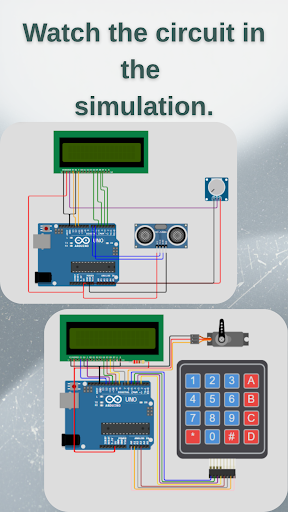
Arduino Lab is your complete mobile workshop for Arduino, ESP32, ESP8266, Raspberry Pi Pico, and STM32 — trusted by 100,000+ makers worldwide. Whether you are taking your first steps with LEDs and sensors or building advanced IoT projects, Arduino Lab combines structured lessons, ready-made projects, a mobile IDE, and USB upload — so you can learn, code, and flash your board from your phone or tablet. ━━━━━━━━━━━━━━━━━━━━ 📚 LEARN WITH STRUCTURED CONTENT ━━━━━━━━━━━━━━━━━━━━ • Step-by-step Arduino lessons — from basics to advanced topics • 30+ hands-on projects with wiring diagrams, materials lists, and source code • Dedicated ESP32 & ESP8266 project library • Interactive Build Guide: follow wiring steps, upload code, verify your circuit, and get AI troubleshooting if something does not work • Wokwi circuit simulation for selected lessons • Favorites to save lessons and projects for quick access ━━━━━━━━━━━━━━━━━━━━ 💻 MOBILE IDE & CLOUD COMPILE ━━━━━━━━━━━━━━━━━━━━ • Write and edit Arduino/ESP sketches on your phone • Syntax highlighting, undo/redo, and code snippets • Cloud compilation — no PC required to build your firmware • Auto-detect libraries from #include lines • Open IDE from any lesson or project with one tap ━━━━━━━━━━━━━━━━━━━━ 🔌 UPLOAD DIRECTLY TO YOUR BOARD ━━━━━━━━━━━━━━━━━━━━ Connect your board with a USB OTG cable and upload from the app: • Arduino: Uno, Nano, Mega, Pro Mini, Leonardo, Micro, UNO R4 WiFi/Minima • ESP32 & ESP8266 (DevKit, S2, S3, C3, C6, CAM, and more) • Raspberry Pi Pico / Pico W / Pico 2 • STM32 (Blue Pill, Black Pill, Nucleo) Smart board detection supports official boards and popular clones (CH340, CP2102, FTDI). ━━━━━━━━━━━━━━━━━━━━ 🤖 AI-POWERED HELP ━━━━━━━━━━━━━━━━━━━━ • Code AI — analyze, fix, and improve your sketches (photo or paste) • Component Guide — identify sensors and modules by photo or model name; get pinout, wiring, libraries, and example code • AI explanations on lesson and project detail pages • Interactive lesson troubleshooting when your circuit does not behave as expected ━━━━━━━━━━━━━━━━━━━━ 📡 BLUETOOTH & SERIAL TOOLS ━━━━━━━━━━━━━━━━━━━━ • Serial Monitor — read and send data over USB • Bluetooth controller — drive robots and devices with on-screen buttons, arrows, tilt sensor, voice commands, and terminal • Smart Home Bluetooth panel for compatible projects ━━━━━━━━━━━━━━━━━━━━ 🌍 BUILT FOR GLOBAL MAKERS ━━━━━━━━━━━━━━━━━━━━ • Available in English, Turkish, German, Spanish, French, Russian, Italian, Portuguese, and Chinese • Light and dark theme • Works offline for browsing saved content; internet needed for compile, upload helpers, and AI ━━━━━━━━━━━━━━━━━━━━ ⭐ PREMIUM (ONE-TIME PURCHASE) ━━━━━━━━━━━━━━━━━━━━ Upgrade to Premium for ad-free experience, unlimited uploads & downloads, full AI access, and simulation features. ━━━━━━━━━━━━━━━━━━━━ Perfect for students, teachers, makerspaces, and anyone who wants to build real electronics without always sitting at a desktop. Requirements: Android device with USB OTG support for direct upload; data-capable USB cable; compatible microcontroller board. Questions or feedback? Contact us from Settings → Contact Us. Made with passion for the maker community by CyTech.
3 years on Google Play
This app isn't currently appearing in any tracked top charts.