
CasaTunes Gen2 Home Audio Ctrl
Updated Aug 7, 2026 · v1.6.260807


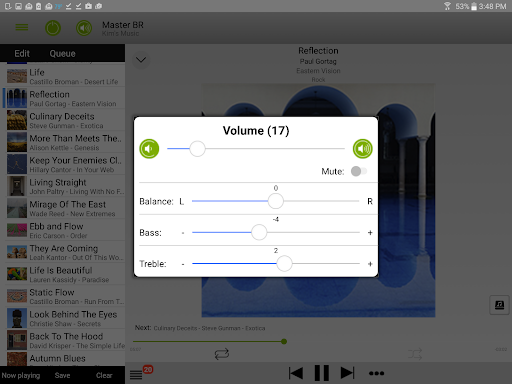


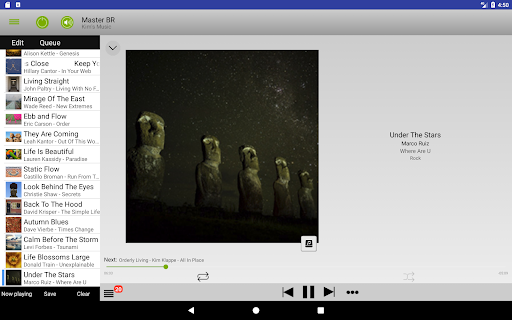
Control your CasaTunes Whole House Music system from your phone or tablet.
New, updated version of our popular control app for controlling CasaTunes Multi-Room Music Servers. Please note! All cover art images are simulated for illustrative purposes (but the real ones look great, too!) and are Copyright Maynard Knapp, 2013-2017. Includes a demo mode that connects to a running CasaTunes server located at our headquarters. You won't hear the audio, but you will see how great our control app is and how powerful our systems are. Even over most cell networks, the demo is fast. When controlling a CasaTunes Music System that is installed in your own home, results are almost instantaneous. This app is for Phones and Tablets running Android 4.1 and later. If you have our older, "CasaTunes Multi-Room Control" or "CasaTunes Home Audio Control" apps on your device, uninstall them before proceeding. Also, please update your CasaTunes server to the latest version. This app controls your CasaTunes Whole Home Music System (http://www.CasaTunes.com) at your home. The CasaTunes Music Systems and Streamers play your local music, including your local iTunes® and Windows Media® music; and many popular Internet streaming services in any room where you have installed wireless or wired speakers connected to a CasaTunes system. FEATURES: - Easy and intuitive! - Uses Android® device's rocker volume control to control the selected room's volume. - Controls every CasaTunes room and room groups. - Music selection from Tidal®, Pandora®, Spotify®, TuneIn®, SHOUTcast® and many other internet services, plus your local music and Windows Media and iTunes music or music on any iPod®(s) or iPhone® connected to the CasaTunes server. - Search for music in your disk based music (iTunes, Windows Media, or iPods) or Internet Radio services, - Set multiple wakeup schedules for each room. - Use the app to turn off the room you are controlling after 5, 10, 15, 30 or 60 minutes (or immediately, of course). - Create playlists using the queue of music you are currently listening to or from the currently playing radio station. - Set maximum volume in each room to keep young ones from blasting you out of your home. - Displays cover art and meta-data (song title, artist name, etc) for the room you are currently viewing/controlling. - For iTunes and Windows Media music, allows you to pick which songs or albums to listen to or add to the currently playing queue. - Power all rooms on or off at one time. Please report any problems via email at support@CasaTunes.com or call us at 888-855-2272. Thanks!
9 years on Google Play
This app isn't currently appearing in any tracked top charts.