
Calculator Complication
Updated Jul 31, 2026 · vVARY


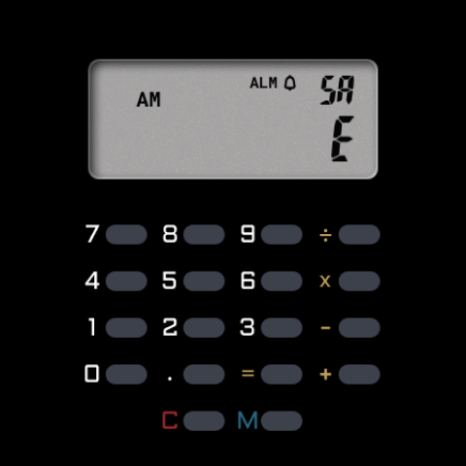


A working calculator complication for compatible Wear OS watch faces.
A real four-function calculator on your wrist — and it works on its own. Open the app and you get a working vintage-style pocket calculator, right on your watch. No watch face required, no purchase required. When idle, it shows the time; tap in and it calculates. ** What it does ** Open the app for a full 8-digit calculator that behaves like a classic pocket calculator: - Add, subtract, multiply, divide - Decimal entry, up to 8 digits on screen - Repeat operations (press = again to apply the last calculation) - Power calculations via double-operator (3 × × = gives 9, again 27, again 81) - Honest error handling — divide by zero, overflow, and underflow all show "E" until you press C When idle it shows the time — 12-hour or 24-hour, matching your watch's setting. Your calculation state survives screen-off and reboot, so you can pick up where you left off. ** See it in action ** Watch a short demo of the calculator and how to use it with a watch face: https://www.instagram.com/reel/DZneB-DNopy/ ** Optional: pair it with a compatible watch face ** For an integrated experience, the calculator can also be driven from a compatible CELEST watch face that has calculator buttons drawn around the complication slot. On a compatible face, tap the on-face buttons and the complication switches between the clock and the calculator. This is an optional enhancement — the in-app calculator works without any watch face. Compatible watch face: CELEST5659 Retro Digital Watch https://play.google.com/store/apps/details?id=com.watchfacestudio.celest5659 More compatible faces will be added as they're released. Generic watch faces with a plain complication slot won't include the calculator buttons, so use a compatible face for the on-face experience. ** Why this exists ** Plenty of "calculator" watch faces look the part — buttons drawn on, numbers on the display — but tap a button and nothing happens. They're decorations. This is the working version: the math is real, the precision is real, the buttons actually compute. It's a small app doing one thing carefully. ** About CELEST Watches ** CELEST Watches is an independent studio designing watch faces and utility apps for Wear OS, Huawei, and Apple Watch via Facer. The Calculator Complication is part of a small line of focused utility apps that pair with CELEST watch face designs. ** Installation Help & Troubleshooting ** - The calculator works on its own once installed — just open the app. - To use it on a watch face, pair it with one of the compatible faces above. - Installation and troubleshooting guide: https://celest-watches.com/installation-troubleshooting/ - Contact us at info@celest-watches.com for quick support ** Discover More ** Browse our full collection of watch faces and utility apps: 🔗 https://celest-watches.com ** Support & Community ** 📧 Support: info@celest-watches.com 📱 Follow @celestwatches on Instagram, or sign up for our newsletter!
0 years on Google Play
This app isn't currently appearing in any tracked top charts.