
Anti Spy Sneak My Phone – WTMP
Updated May 27, 2026 · v1.0.4




Anti-Theft, Anti-Spy & Charge Protection
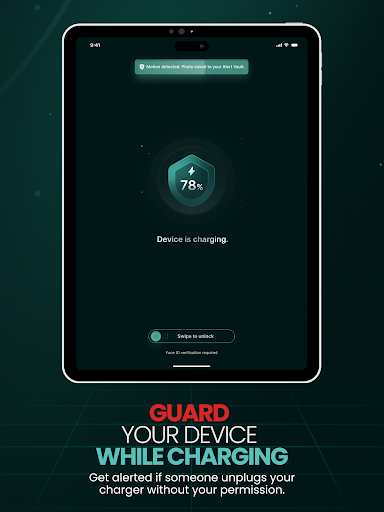
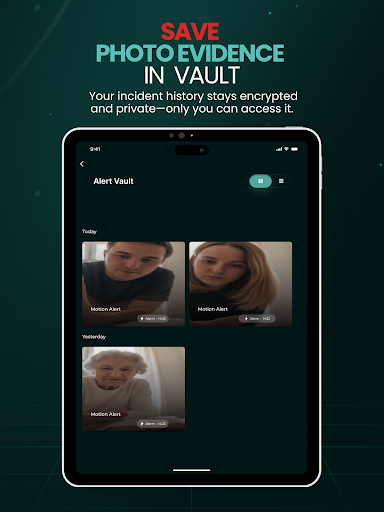
Your phone is personal. It holds your private chats, photos, messages, banking apps, and so much more. No one should sneak into your phone. No one should grab it and run. Anti Spy Sneak My Phone – WTMP protects your phone in the real-life moments that matter: • You're at home and someone tries to 'quickly check something' on your phone • You leave your phone on the café table while ordering • Your phone is on your desk at work or school • You're charging your phone in a public place THREE PROTECTION MODES — one app. 1. Anti-Sneak Mode Catches anyone who tries to access your phone without permission. Wrong passcode attempts trigger an alert and capture photo evidence saved to your private vault. 2. Anti-Theft Mode If someone picks up or grabs your phone, WTMP detects the motion and sounds the alarm instantly — drawing attention and discouraging theft. 3. Charge Guard Mode Charging in public? If someone unplugs your phone, an alert fires immediately. LOCKSCREEN GUARD (OPTIONAL) Enable Lockscreen Guard to trigger the alarm when someone fails to unlock your phone. This feature uses Android's Device Administrator API — specifically and only the "watch-login" policy — to detect failed unlock attempts. WTMP never locks, wipes, or changes your device password; it can only observe failed unlock attempts. You can disable this feature at any time in Settings, which also removes the Device Administrator privilege. BACKGROUND PROTECTION Once you arm the guard, WTMP keeps watching even if you switch apps or turn the screen off. An ongoing "Guard Active" notification shows you the service is running, and you can stop it with one tap from the notification at any time. PHOTO EVIDENCE VAULT • Encrypted on-device storage (AES-256) • Protected with fingerprint or face unlock • Review incidents anytime, privately • Burst-capture multiple photos per event (Pro) SMART CONTROLS • Sensitivity levels: Easy, Medium, High • Alarm modes: Loud, Silent, Discreet • Auto-arm when screen locks • Set Protection Time — schedule timed guard sessions • Cloud Backup & Restore (Pro) PRIVACY FIRST • On-device encryption by default • Permissions requested only when needed • No ads, no data shared with third parties • Optional cloud backup is end-to-end encrypted — we cannot read your photos Start your 3-day free trial today. No charge until the trial ends. Cancel anytime.
0 years on Google Play
This app isn't currently appearing in any tracked top charts.