
Copy My Data - Smart Transfer
Updated Aug 7, 2025 · v1.1.0


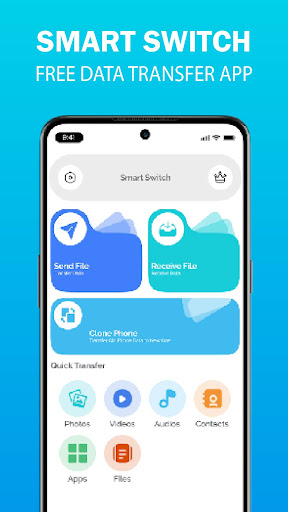


Easily copy my data & transfer content between phones. Fast, secure phone clone.
Looking for a smart transfer solution to switch phones seamlessly? Need a data transfer app to copy my data quickly and securely? With Smart Transfer: Clone Phone & Copy My Data, you can clone phone data, transfer contacts, photos, videos, apps, messages, and more—without cables, cloud storage, or internet. This phone clone app ensures safe, encrypted, and seamless phone transfer. Whether you’re upgrading to a new Android device or need a mobile transfer tool, experience a fast, hassle-free, and complete phone clone. Fast & Secure Data Transfer Easily copy my data and transfer content from your old device to a new phone. Whether performing a smart switch, phone clone, or content transfer, this data transfer app ensures a smooth, private, and encrypted migration. Why Choose Smart Transfer: Clone Phone & Copy My Data? 1. Fast & Secure Transfer – Move data quickly without using mobile data. 2. Complete Phone Clone – Copy everything from contacts to settings. 3. Internet Needed – Works offline via Wi-Fi, Hotspot, or QR Code. 4. Easy-to-Use – Simple steps for a hassle-free smart switch. 5. Compatible with All Android Devices – Works on Samsung, Xiaomi, Google Pixel, Huawei, Oppo, OnePlus, and more. How It Works: 1. Connect Devices – Use Wi-Fi, Hotspot, or QR Code for a secure phone transfer. 2. Select Data – Choose contacts, photos, videos, apps, messages, call logs, and more. 3. Start Transfer – Enjoy fast and secure mobile data transfer in minutes. Key Features: 1. Phone Clone & Data Transfer – Smart transfer contacts, apps, photos, videos, call logs, and files. 2. Copy My Data Easily – Move files faster than Bluetooth with a secure phone clone. 3. Smart Switch Solution – No cables or cloud needed—just fast phone transfer. 4. Secure & Private – Encrypted data transfer ensures your privacy. 5. User-Friendly – Simple step-by-step guide for effortless mobile transfer. ________________________________________ Why You’ll Love It: 1. Fast Data Transfer – Move files instantly without losing quality. 2. No Data Loss – Keep your important files safe and intact. 3. Completely Free – Basic features are free, with optional upgrades for more. Download Now and Experience a Hassle-Free Smart Switch & Phone Transfer! Get Smart Transfer – Copy Data & Clone Phone today for a seamless phone transfer experience. Say goodbye to manual backups and enjoy a hassle-free phone clone with the best data transfer app for Android. Disclaimer This app is not affiliated with or endorsed by Samsung. Samsung Smart Switch is a trademark of Samsung Electronics Co., Ltd.
1 year on Google Play
This app isn't currently appearing in any tracked top charts.