
QR Code Generator : QR Scanner
Updated Sep 23, 2026 · v1.49


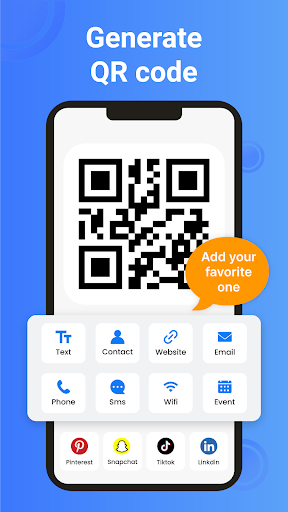


Generate Custom QR & UPC barcodes - Scan, save & share instantly.
Create, scan and manage QR codes and barcodes with one simple, powerful app. QR Code Generator & Scanner makes it easy to create custom QR codes, scan QR codes and barcodes instantly and share information securely. Whether you are sharing a website, connecting to Wi-Fi, exchanging contact details or scanning product barcodes, the app provides a fast and reliable solution for everyday personal, educational and business needs. Generate QR codes in seconds for websites, text, phone numbers, email addresses, Wi-Fi networks, locations and more. Scan QR codes from printed materials, product packaging, menus, business cards, posters, digital screens or images stored in your gallery. Save your results, organize your history and share information whenever you need it. You can create QR Codes for Every valid purpose. ✳️ Create professional QR codes for a wide range of uses: ➤ Website and URL QR codes. ➤ Wi-Fi QR codes for quick network sharing. ➤ Phone number and email QR codes. ➤ Contact information and digital business cards. ➤ Plain text, notes and messages. ➤ Location and map sharing. ➤ Business promotions, menus, events and marketing materials. Customize your QR codes with colors and logos to match your personal style or brand, then save and share them with just a few taps. Scan QR codes and barcodes using your device's camera. The scanner automatically detects supported codes and helps you in; ➤ Open websites instantly. ➤ Connect to Wi-Fi networks. ➤ View contact information. ➤ Access product details. ➤ Read stored text and other encoded information. The fast scanning experience helps you access content accurately with minimal effort. Barcode Scanner is used for Everyday tasks Scan product barcodes for inventory management, retail operations, product identification, record keeping and everyday information lookup. Quickly capture barcode data without manual entry to save time and improve productivity. ✳️ Smart Features: ✦ Generate multiple types of QR codes ✦ Scan QR codes and barcodes ✦ Customize QR code colors and appearance ✦ Add logos for branded QR codes ✦ Scan codes from gallery images ✦ Save generated QR codes ✦ Share QR codes instantly ✦ Built-in scan history ✦ Flashlight support for low-light scanning ✦ Auto zoom for small or distant QR codes ✳️ Choose whether you want to create or scan: ✷ Enter your information or point your camera at a QR code or barcode. ✷ Save, manage, or share your results. ✷ Return to your scan history whenever you need previous records. ⚡ Whether you are a student, professional, business owner, retailer or simply looking for an easy way to create QR codes and scan barcodes, QR Code Generator & Scanner helps you share information, access digital content, connect to Wi-Fi, manage products and stay organized with a fast, reliable and easy-to-use experience. 💡 Ready to simplify the way you create and scan QR codes? Download QR Code Generator & Scanner today to generate custom QR codes, scan QR codes and barcodes instantly and share information with confidence.
4 years on Google Play
This app isn't currently appearing in any tracked top charts.