
StreamShow - ONVIF RTSP viewer
Updated Oct 21, 2025 · v3.16




Video monitoring software for Mobile and TV
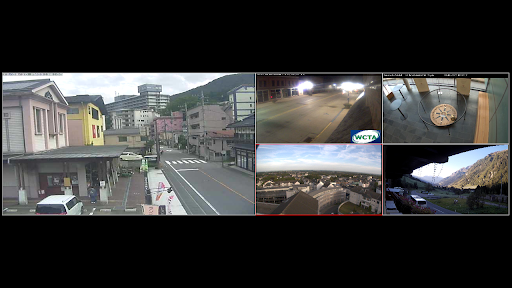
Handy VLC based software to easily add, reorder and view single or multiple video streams. It supports RTSP, HTTP, ONVIF protocols as well as native access protocols for most popular camera brands. From 1 to 16 cameras can be displayed simultaneously on one screen using different layouts (depends on device performance). Streams can be added manually (see examples below), via network discovery or by importing stream configuration from another device or backup file. Also it is possible to record a video or make a photo while viewing a stream. Streams can be grouped. Application can be used as a VLC proxy for remote RTSP stream access (does not apply to the TV version). User can choose between VLC and ExoPlayer for playing RTSP streams. You can configure low and high video quality URLs. Audio can be enabled or disabled on a per-stream basis. The low quality video URL is used by default. In single stream mode it is possible to switch between low and high quality URLs, turn stream audio Off/On/alwaysOn, make photo and record video, zoom video stream, perform PTZ operations (if available), switch to Picture in Picture mode (if supported). In multi-stream mode a maximum of 16 (parameter is changed in settings) streams can be viewed simultaneously at one screen (depends on device performance). Audio can be turned Off/On/alwaysOn for all streams at once. Manage video and photo files from within the app. Review you archive, delete unnecessary files, view videos and photoes with zooming capabilities, make photo while viewing a videos from archive. Share files with others or backup to Drive (does not apply to the TV version). For setting up and using proxy please read "How it works" in "Proxy" section of the Mobile version of the application. On Mobile version of the app no ads are shown if you have up to 3 streams and don't use Proxy feature. On TV version no ads are shown at all but free version has a view limit of 3 streams. Application also supports Pinned Shortcuts and Deep Links. DeepLink parameters: monitor=true|false - open multiple view buttons=true|false - show buttons or not group=GroupName - open monitor for specific group or open single stream with ability to navigate through all streams within this group item=StreamName - open single stream all=true|false - open single stream with ability to navigate through all streams Mobile version Deep Link example URL: app://com.devinterestdev.streamshow/?monitor=true&buttons=true app://com.devinterestdev.streamshow/?monitor=true&group=Group1&buttons=true app://com.devinterestdev.streamshow/?item=Cam1&group=Group1 app://com.devinterestdev.streamshow/?item=Cam1&all=true TV version Deep Link example URL: tv://com.devinterestdev.streamshow/?monitor=true&buttons=true URLs for testing: With audio rtsp://rtsp.stream/pattern (use RTSP over TCP option) rtsp://wowzaec2demo.streamlock.net/vod/mp4:BigBuckBunny_115k.mp4 Without audio http://88.131.30.164/mjpg/video.mjpg http://212.170.100.189/mjpg/video.mjpg URL examples (user, password, XXX and IP address need to be replaced with your values): Hikvision camera high quality: rtsp://user:password@192.168.0.55/Streaming/channels/0101 low quality: rtsp://user:password@192.168.0.55/Streaming/channels/0102 Dahua camera high quality: rtsp://user:password@192.168.0.55/cam/realmonitor?channel=1&subtype=0 low quality: rtsp://user:password@192.168.0.55/cam/realmonitor?channel=1&subtype=1 XMEye camera high quality: rtsp://192.168.0.55:554/user=XXX&password=XXX&channel=0&stream=0.sdp low quality: rtsp://192.168.0.55:554/user=xxxxx&password=xxxxx&channel=0&stream=1.sdp XMEye network video recorder (NVR) high quality: rtsp://192.168.0.55:554/user=XXX&password=XXX&channel=XXX&stream=0.sdp low quality: rtsp://192.168.0.55:554/user=XXX&password=XXX&channel=XXX&stream=1.sdp
4 years on Google Play
This app isn't currently appearing in any tracked top charts.