
BrickShooter: Anti Tap Away
Updated Sep 17, 2024 · v3.0.9


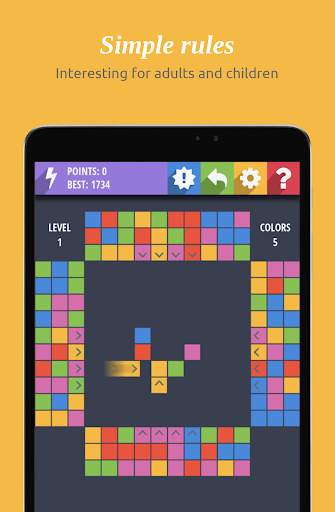


The unique strategic puzzle. Slide blocks into the field instead outside.
Want to take a challenge while relaxing during your free time? Are you know Tap Away style games? Forget them! This game will pump your mind to the highest level! Don't just tap away blocks! Slide blocks INTO the field to clean it. This is truly a challenge! At levels with a small number of colors, the game will be interesting even to younger students. At higher levels you will face difficulties, we guarantee. The unique Anti Tap Away gameplay for free! Tricky, addictive, the classic gameplay will keep you playing all day without getting bored! 1. Tricky, addictive puzzle game, IQ brain. 2. You can choose difficulty. 3. Both challenging and satisfying. It's time to train your brain, challenge yourself and become BrickShooter: Anti Tap Away master! RULES OF THE GAME Goal Go through as many levels as possible, clearing the central field of all the bricks on it. The game begins with the fact that several bricks are randomly placed on the central field. These bricks are still. On four sides of the field are three layers of bricks. All bricks that can move are indicated by arrows. A click on the brick starts its movement across the field. The brick always moves in the direction indicated by an arrow. When the brick rests on an obstacle, it stops. When the obstacle disappears, the brick will continue moving in the same direction. The direction of movement of the brick can not be changed. Removing bricks When three or more bricks are arranged vertically, horizontally or in an L-shape, they are removed from the field. Depending on the number of removed bricks points are awarded. Completion of the level The level is completed when the central field is completely cleared of bricks. The new level begins automatically, the number of fixed bricks increases by one. Start new game To start a new game, click on the blue button in the toolbar. When you start a new game, you can choose the number of colors used in the game (the difficulty of the game). The more colors are used, the harder it is to play.
8 years on Google Play
This app isn't currently appearing in any tracked top charts.