Anti Theft Alarm: Don't Touch
Updated Aug 29, 2026 · v1.3


Don’t touch anti-theft phone security alarm: motion alert, PIN lock, vibration
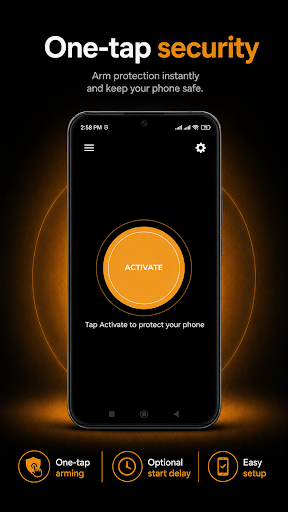
Protect your phone with a motion-triggered anti-theft alarm. Anti Theft Alarm: Don't Touch is a phone security app that alerts you when someone moves, picks up, or touches your phone while protection is active. Place your phone down, tap Activate, and the app monitors movement using your device's motion sensors. If the phone is moved, a loud anti-theft alarm can sound along with vibration and flashlight alerts, even while your screen is off. Don't touch my phone key features - Motion-triggered anti-theft alarm - Loud alarm to alert you when the phone is moved or touched - Optional vibration alert - Optional flashlight alert - 4-digit PIN protection for deactivation - Forgot PIN recovery option - Change PIN anytime - 5, 10 or 15-second start delay - Protection continues while the screen is off - Persistent protection service while monitoring is active - Simple one-tap Activate and Stop controls How the anti-theft alarm app works 1. Open the app. 2. Choose your preferred settings. 3. Tap Activate. 4. Place your phone where you want to leave it. 5. After the optional start delay, motion monitoring becomes active. 6. If someone moves or touches the device, the alarm alerts you instantly. PIN protection Enable PIN protection if you want to prevent someone from easily stopping protection. The PIN and recovery information are stored locally on your device. Useful for phone security in everyday situations - Leaving your phone on a desk at work or school - Keeping an eye on your device in shared or public spaces - Protecting a phone while it is temporarily unattended - Getting an audible alert if someone picks up or touches your device - Anti-theft protection while charging on a table or counter Don't Touch My Phone Alarm works quietly in the background until triggered, so you can leave your phone and stay confident it's protected. Motion sensor processing is performed on the device. Your PIN, recovery answer and motion-sensor information are not used for advertising. Activate anti-theft protection when you need it and get an immediate alert the moment your phone is moved or touched.
1 year on Google Play
This app isn't currently appearing in any tracked top charts.