
Apk Extractor - App Backup
Updated Jul 28, 2021 · v1.5.8


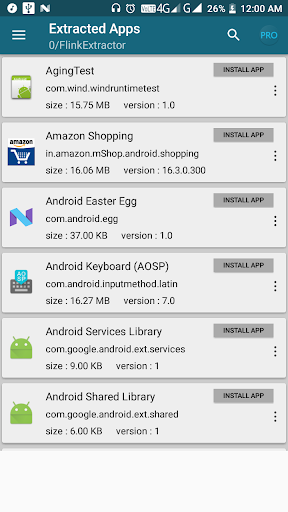


Apk Extractor - App Backup extracts applications which are installed.
Apk Extractor - Backup will extract applications which are installed on user device and copy to Device Memory. ****************** LESS THAN 2 MB SIZE ***************** ✔Attractive UI ✔Share Installed Application Apk (.apk file) via Bluetooth, Email etc. ✔Fast in extracting apk . ✔Very easy to use ✔Apk Extractor can extract most of applications including system apps. ✔Without Root access can extract application's apk. ✔Can search application by using search option. ✔Default Apk's will be saved in 'Apk Extractor' folder in phone memory. ✔You can choose other folder for saving Extracted Apk file from setting. ✔App Sorting Option : Sort by Name, Sort by Size, Sort by Install Date. ✔Automatic Extraction : whenever user install a app , Apk Extractor will save that application apk file in storage. ✔One touch action (Extract app / Share app / Installed app / Uninstalled app / App info / App Details). ✔Themes :- Dark,Light
10 years on Google Play
This app isn't currently appearing in any tracked top charts.