
Dura Install
Updated Nov 12, 2025 · v1.0.1


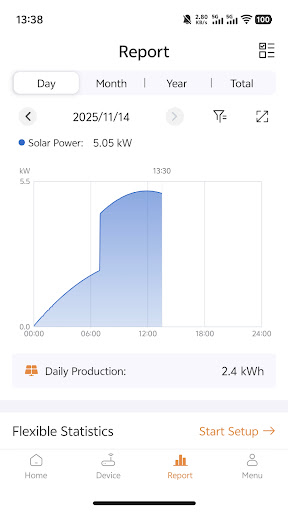

Monitor real-time performance of solar power plant via Dura Install App
Here are the key aspects of the online monitoring feature of Dura Install App as below, Power Output: Real-time data on the GTI's power output, including current power generation in watts (W) or kilowatts (kW). Voltage: Information on DC input voltage from the solar panels and AC output voltage to the grid. Current: Data on DC and AC currents, often measured in amperes (A). Frequency: AC frequency data, typically in hertz (Hz), to ensure synchronization with the grid. Efficiency: Information on the GTI's efficiency, which may include both instantaneous and historical efficiency data. Efficiency is usually expressed as a percentage. Temperature: Temperature data, both internal and external to the GTI, to monitor heat generation and ensure safe operating temperatures. Energy Production: Accumulated energy production data, often displayed in kilowatt-hours (kWh) for various time intervals (e.g., daily, weekly, monthly, and yearly). Operating Status: Information on the GTI's operational status, including whether it's online, offline, or in fault mode. Fault Detection and Alerts: Alerts and notifications for system faults, errors, and any issues that require attention. This may include fault codes and descriptions. Grid Parameters: Information about grid parameters, such as grid voltage and frequency, to ensure proper synchronization and grid compliance. Environmental Conditions: Data on environmental conditions, including ambient temperature, humidity, and solar irradiance levels, which can impact the GTI's performance. Historical Data: Historical records of performance data, allowing you to track trends and system behavior over time.
0 years on Google Play
This app isn't currently appearing in any tracked top charts.