
Senior Launcher - Simple Phone
Updated Aug 15, 2026 · v1.35.0



Simplified Launcher for Seniors - Your smartphone, made simple!
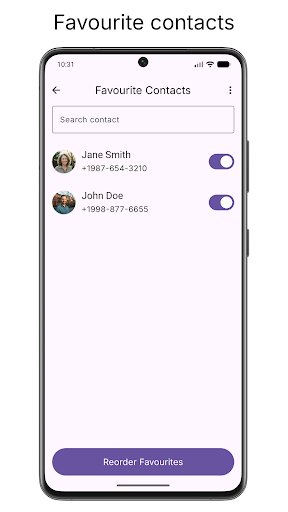
🧩 Designed for seniors or anyone who wants an easy-to-use smartphone experience. Say goodbye to confusing menus and tiny buttons! Key Features: ✅ Large, Clear Interface: - Oversized icons and text for effortless visibility. - Simple grid layout with no clutter. ✅ Favorite Apps & Contacts on Home Screen: - Pin your most-used apps and loved one's contacts upfront. - Optional contacts access – only if you want it! ✅ Helpful Quick Actions: - SOS - Torch - Wi-Fi - Ring Modes ✅ Directly add web shortcuts to the home screen for commonly used websites. ✅ No Tech Skills Needed: - No hidden menus or jargon. - Set up once and enjoy stress-free smartphone use. ✅ Customisation: - Hide away unused apps, rename apps - Lock settings and home screen to allow only the favourite contacts and apps - Change home grid size, icon size and text size - Light and dark theme - Notification dots - Battery percentage - Support calling to third party apps (Whatsapp, Telegram etc) - Third party widgets support - Work profile apps support ✅ 100% Private & Secure: - All your data (apps, contacts) stays on your device. - No ads and no accounts required. Why Choose Senior Launcher? 🛡️ Trusted by Caregivers: Perfect for family members setting up a phone for elderly members or for someone who is not tech savvy. Permission: The app uses the Accessibility permission for the feature of "Lock Screen" quick action. It is a completely optional feature. While enabling the accessibility, a system warning regarding the privacy is shown. No personal data is being collected by the app using accessibility. How to Start: - Download the app. - Choose your free trial or go premium with one time purchase. - Enjoy a smartphone that finally makes sense!
1 year on Google Play
This app isn't currently appearing in any tracked top charts.