
Business Card Maker: Logo & QR
Updated Feb 28, 2026 · v1.12




Create professional business cards with ready-made templates, logo & QR code.
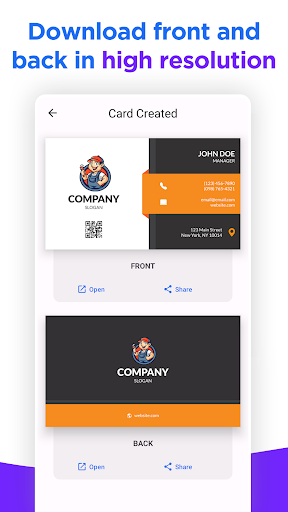
Create professional business cards in minutes, no design skills needed. With ready-made templates and intuitive tools, Business Card Maker turns your contact details into a polished, print-ready card you can share digitally or hand out in person. HOW IT WORKS 1. Enter your details: Add your name, phone number, email, address, and social media links. The template adjusts automatically to your information. 2. Pick a template: Browse the collection of professionally designed templates and choose the one that fits your industry and personal style. 3. Add your logo: Upload your own company logo or pick one from the built-in logo library. Give your card a professional brand identity right away. 4. Include a QR code: Add a scannable QR code so anyone can save your contact information in seconds, just point and scan. 5. Export in HD: Save the front and back of your business card as a high-resolution image, ready for professional printing or digital sharing. KEY FEATURES - Professional Templates Dozens of ready-made designs for every profession and industry: real estate, construction, beauty, healthcare, photography, law, technology, retail, and more. Pick a template, fill in your details, and your card is done. - Custom Logo Upload your own logo directly from your phone or choose from the built-in logo library. Your business card reflects your brand from the very first glance. - QR Code Generator Add a QR code that links to your phone number, website, email, or any contact information you choose. The fastest way to share your details at meetings, events, or networking sessions. - Front & Back Design Design both sides of your card in a single workflow. Put your contact details on the front and your services, tagline, or social links on the back, just like a real printed visiting card. - High-Resolution Export Export your finished card as an HD image with print-quality resolution. Share via messaging, email, or social media, or send it straight to a print shop for professional results. WHO IS THIS APP FOR? Freelancers, entrepreneurs, small business owners, independent professionals, and anyone who needs a sharp-looking business card without the hassle. Perfect if you are launching a new venture, updating your contact information, or want to make a strong first impression at events and meetings. SIMPLE, FAST & PROFESSIONAL You don't need graphic design experience. The app does the heavy lifting: choose a template, enter your information, customize with your logo and QR code, and export a card that looks like it was designed by a professional. No complexity. WHY CHOOSE THIS APP? Unlike generic design editors, this app is built specifically for creating business cards. Every template is correctly sized, every field is optimized for professional contact information, and every export is print-ready in high resolution. New templates and features are added regularly. Download now and create your professional business card in minutes.
3 years on Google Play
This app isn't currently appearing in any tracked top charts.