
MViewer - PDF, Comic Reader
Updated Jul 22, 2026 · v1.4.3.15



Modern-tech Android reader: lighter, faster, easier on battery for comics & PDFs
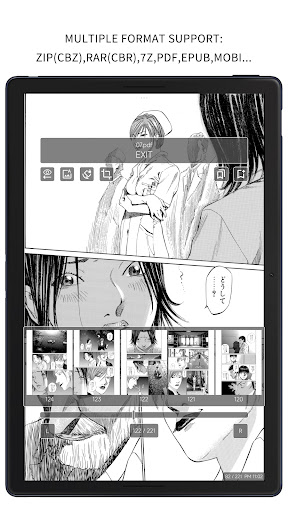
MViewer is a 100% native Android application. It leaves the greater challenges to the developer, while offering users the benefits of being lighter, faster, and more power-efficient. Note: MViewer is better suited for e-ink devices. For smartphones and tablets, MViewer+ is recommended.If you purchased MViewer Pro before July 31, 2026, you can send your order number to the support email address to obtain a redemption code for MViewer+ Pro. Main features: # Support Comic file as types:zip(cbz),rar(cbr),7z,pdf,epub,mobi * # Image type support: jpg, jpeg, png, webp, bmp, heif, heic, avif # .gif animated pictures support # WiFi import ( support file/folder import ) ** # E-Ink mode. For E-Ink: Flash on page change(Reduce ghosting). Long press to manually refresh # Treat the pictures folder as a book # Vertical continuous mode. Horizontal page-turning mode # Switch reader background: white, black, or auto-adaptive # Sort by last read time # Multi-library switching. Quick change directory # Colorful theme(and E-Ink theme), and pick any theme color you like # Classifying based on reading progress # "UNREAD", "READING", "READ" badges on book covers # Support custom color for badges and reading progress # High-Definition cover display # Fit Japan manga cover,auto crop its main page to show # Turning page with Bluetooth controller # Full auto page. Even works on epub/mobi # Auto White Margin Cutting (EX), it can trim the inner white edges for dual page.Even work on epub/mobi # Zoom picture # Temporary-Split/Merge-Pages when the screen orientation is locked # Bookmark function # Search function # Change book cover, save piture to the local # Manage files/folders ** # More turning page effects: sliding, peeling, unveiling And so on... Attention: * This app is designed for comic reading, the epub/mobi support is ONLY for comic file. ** Due to Android 10 storage restrictions, these features will be unavailable when the library folder is located on the SD card. No such limitations on Android 10+
1 year on Google Play
This app isn't currently appearing in any tracked top charts.