
File Manager - File Sharing
Updated Aug 18, 2025 · v1.0.9




Fast, easy-to-use and full-featured, secure tool for efficient file management
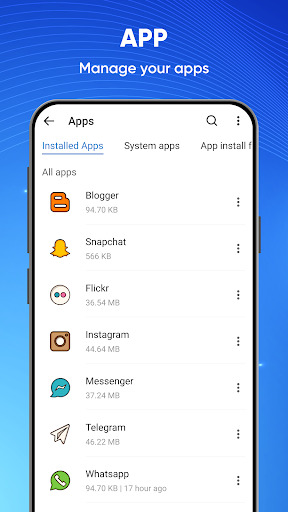
File Manager - File Explorer is a free, secure tool that helps you find files faster, manage files easily, and share them with others quickly. With many attractive features: fast search, move, delete, open, and share files, as well as rename, extract, and copy-paste. 💽 Free up space on your device by following cleaning suggestions 🔍 Find files faster with simple search and browsing (including ZIP or RAR files) 🗂 Share files quickly with “Nearby Share” 📂 Clean redundant and duplicate files to free up device space 🔒 Protect files by locking them or locking folders, and hiding folders 📂 Versatile file manager with File Manager - File Explorer - Browse, Create, Select multiple files, Rename, Compress, Extract, Copy & Paste, Move files and folders - Lock your files in a private folder for safekeeping 📀 Free up memory quickly with File Manager - File Explorer - Scan large files that consume valuable storage space - Clean up duplicate files and advertising junk 🔎 Easily find files with File Manager - File Explorer - Find your buried files fast with just a few taps - Enter keywords or the file format you want to look for Main functions: ● Recent Files: Show and view recently added/created files on your device without searching ● Quickly test and analyze both internal and external storage, including SD cards and USB OTG ● NFC proximity file sharing technology ● Compress and decompress ZIP/RAR files ● Deleted files will be restored from the recycle bin ● Browse and delete unused items to free up more memory ● Manage apps: check and delete unused apps ● Integrated Music Player, Image Viewer, Video Player & File Extractor, File Viewer ● Option to show hidden files and hidden folders ● Security lock on file or folder ● Scan and remove excess junk: apk files, network advertising junk, etc. Let's download the File Manager - File Explorer application to experience how to manage files smartly. To use all of these features, this app requires the following permissions: ACTION_MANAGE_ALL_FILES_ACCESS_PERMISSION We guarantee that this request will ONLY be used to manage files. File Manager - File Explorer will NEVER cause harm to the user. We wish you a nice day! 😘
3 years on Google Play
This app isn't currently appearing in any tracked top charts.