
Private DNS Quick Setting
Updated Oct 17, 2026 · v3.1


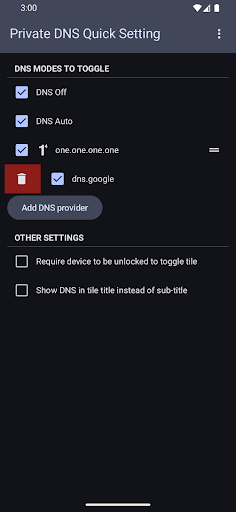


Toggle Private DNS from Quick Settings (needs Shizuku or ADB for initial setup)
Configure your preferred DNS modes to toggle in app and toggle your Private DNS mode from your quick settings panel. In order to change the Private DNS setting, this app requires the 'WRITE_SECURE_SETTINGS' permission. This permission can only be granted either by Shizuku or in an ADB shell. - Shizuku (https://shizuku.rikka.app/download/) Start Shizuku (https://shizuku.rikka.app/guide/setup/#start-shizuku), then open this app, and the permission should be granted automatically. - ADB Use the command: adb shell pm grant com.flashsphere.privatednsqs android.permission.WRITE_SECURE_SETTINGS Check out https://private-dns-qs.web.app/help on the steps to use ADB to grant the permission.
3 years on Google Play
This app isn't currently appearing in any tracked top charts.