
Foxit PDF Editor日本語版
Updated May 26, 2026 · v2026.4.1.0526.0124




An easy-to-use PDF editor which allows you to view, annotate, and protect PDF
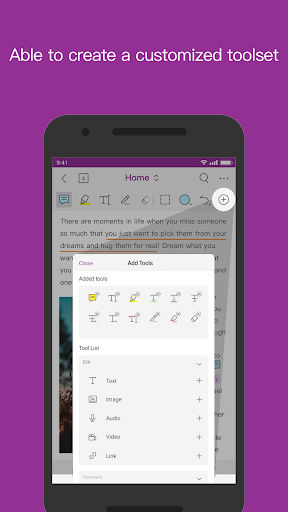
For PDF editing, try Foxit PDF Editor. An easy-to-use PDF editor that lets you view and annotate PDF files on your iOS device on the go. You can also subscribe to Foxit PDF Editor for advanced features like exporting, editing and protecting PDFs. Foxit PDF Editor has the following features: • Rock-solid reliability: 100% compatible with your current PDF environment. • Compact size: consumes few device resources. • High Speed Performance: Open PDF files without stress. • Secure: Strong security features protect sensitive information and prevent unauthorized access. • Collaborative: Take full control of content manipulation. • Multilingual support: Supports 12 languages. The main features of Foxit PDF Editor are: View and manage PDF files • Reflow function for easy viewing of PDF files • Bookmarks for easy document navigation • Search for text in PDF documents • Supports multiple tab view (iPad only) • Supports PDF reading aloud • Rename, move, copy and delete PDF files Share and collaborate on PDF files • Add annotations and stamps to PDF files • Share PDF files and screenshots in the app • Share multiple files between your desktop and iOS devices using Wi-Fi • Access, sync and save PDF files on popular cloud services (Google Drive, OneDrive, etc.) Create and convert PDF files • Create a new blank PDF* • Create PDFs from Microsoft Office formats, images and text HTML files* • Capture paper documents with a scanner and convert them to PDF (supported by iPad 3, iPhone 5 and later products) • Convert PDF to Microsoft Office formats, images, text and HTML files* • Merge multiple PDF files into a new single PDF* Editing PDF files • Insert audio, video and hyperlinks into PDFs* • Add and edit PDF text and image objects* • Edit document properties* • PDF document optimization* • PDF pagination (add*, delete, rotate, extract* pages) Working with PDF forms • Fill and save PDF forms • Import and export form data • Send PDF forms using HTTP, FTP, and email • Support for XFA forms* Sign and protect PDF files • Add handwritten signatures to PDFs • Use existing digital certificates to sign PDF documents* • Protect PDF files with passwords and Microsoft Information Protection* • Protect information in PDFs with redaction* Features marked with an asterisk (*) are advanced features available with an in-app subscription. To use advanced features, you need to create a Foxit account and subscribe to Foxit PDF Editor. After completing the procedure, just sign in to your Foxit account to access the advanced features. In-app purchase details • Foxit PDF Editor subscription price is ¥1,250 per year. • Payment will be charged to your iTunes account at confirmation of purchase. • Subscription automatically renews unless auto-renew is turned off at least 24-hours before the end of the current period. Terms of Use: Use of this product requires acceptance of Foxit's Terms of Use and Privacy Policy (https://www.foxit.co.jp/products/terms-of-use/). For any questions or feedback, please contact us at: https://www.foxit.co.jp/contact/ Foxit official account on Facebook / Twitter: https://www.facebook.com/FoxitPDF https://twitter.com/foxitjapan
3 years on Google Play
This app isn't currently appearing in any tracked top charts.