
Full Launcher: Fresh & Clean
Updated Nov 30, 2021 · v1.0.4


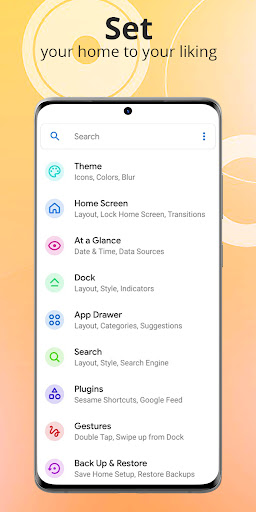
A fresh, powerful, customizable, and versatile home screen replacement.
Full Launcher is a powerful, customizable, and versatile home screen replacement. Full Launcher introduces advanced features from Drawer Categories to Android Recents and contextual data in At a Glance integrations. Full Launcher enhances your home screens, but still keeps a great, user-friendly interface. Make your home screen to be cleaner and a faster home launcher. Key Features • The Newest Features: Full Launcher brings the latest Android launcher features to all other phones. • Custom Icon Themes: Full Launcher supports adaptive icons and thousands of icon themes available in the Play Store. • Customizable Desktop, Dock, Drawer and App Drawer: Vertical or horizontal scroll, page effects, and card or immersive options are just a few of the things you’ll find available for the app drawer. • Automatic Night Mode and Dark Theme: Have night mode come on automatically at a specific time, or just leave it on for a dark theme. • Drawer Categories (Tabs & Folders). • Integration with Android Recents. • Contextual data in At a Glance. • Notification Dots. • Integration with Google Feed and Homefeeder • Speed: Full Launcher is highly optimized, with smooth and snappy animations that work on older phones with a fast and fluid feel. • Gestures: Swipe, pinch, double tap, and more on the home screen to execute custom commands. • App Drawer Groups: Create custom tabs or folders in the app drawer for an ultra-organized feel. • Hide Apps: Remove apps from the app drawer without uninstalling them. • Custom Icon Swipe Gestures: Assign swipe gestures to home screen icons or folders for custom actions. • Full Launcher loads fast, uses less memory, is more battery efficient, and offers fluent animations. Downloading Full Launcher gives the option to replace the default launcher or to toggle between device launchers. Full Launcher uses the Device Administrator permission for optional screen off/lock functionality. This is optional and disabled by default. Full Launcher is free to use. Download the Full Launcher app now!
4 years on Google Play
This app isn't currently appearing in any tracked top charts.