
VibeMeeting
Updated Jul 29, 2026 · v1.0.0




Record meetings, separate speakers, summarize decisions, and track action items.
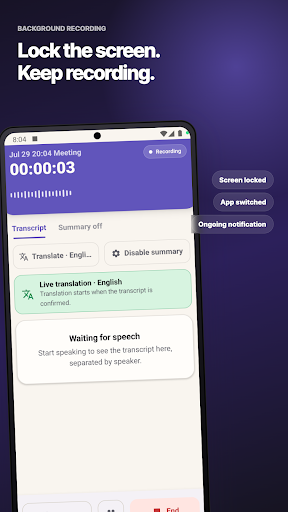
VibeMeeting is a local-first meeting recorder that turns live conversations and imported audio into organized, speaker-separated meeting notes. Start a meeting, lock your screen, or switch to another app. Recording and transcription continue with an ongoing notification, so you can stay focused on the conversation. When the meeting ends, review the transcript, speakers, key takeaways, decisions, risks, follow-up questions, and action items in one place. Key features • Record meetings or import existing audio files • Live transcription with speaker separation • Choose a live translation language for each meeting • Structured summaries with an overview, key takeaways, decisions, risks, and follow-up questions • Track action items with owners and due dates • Rename and merge speakers, mark your own voice, and link voice profiles • Share meeting notes as Markdown and share the original audio file • Keep recording while the screen is locked or another app is open Privacy by design Recordings, transcripts, summaries, translations, and speaker information are stored in the app’s private space on your Android device by default. No account or sign-in is required, and AI summaries are off on new installs. If you choose online AI summaries or translation, VibeMeeting shows a data-transfer notice and asks for consent before the feature is enabled. Only the meeting text and context needed for the request are sent over an encrypted connection. Original audio is not uploaded for online summaries or translation. When you choose on-device AI summaries, meeting text stays on your device. Device requirements VibeMeeting requires Android 10 or later, a 64-bit ARM device, and at least 6GB of RAM. On-device AI summaries require at least 8GB of RAM, a separate summary download, and enough free storage. Speech recognition files are downloaded before first use; Wi-Fi is recommended. Spend less time reconstructing what happened after a meeting. Use VibeMeeting to find decisions, responsibilities, and next steps while the conversation is still fresh.
0 years on Google Play
This app isn't currently appearing in any tracked top charts.