
AnyCopy - Copy Text On Screen
Updated Aug 29, 2026 · v2.3.0


Copy text on screen fast offline from any app via Accessibility or on-device OCR
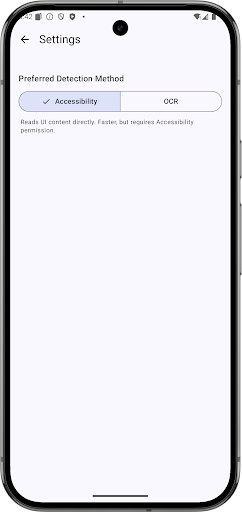
AnyCopy is the simple and powerful copy text on screen app that lets you copy any text on screen from any app, even when selection is blocked. Use universal copy (global copy) for instant selection, or switch to on-device OCR to copy text on image offline. Everything runs on your device for privacy, speed, and reliability. Why AnyCopy - Copy text on any app: social media, chat, shopping, news, maps, video, email, and more. - Two modes, zero friction: 1) Accessibility (Universal Copy): fast, battery-friendly, ideal for well-structured apps. 2) OCR (On‑device, Offline): extract text from images, photos, screenshots, and video frames. - Privacy by design: processing stays offline on your phone. No cloud upload. - Works anywhere: copy anything on screen and copy anywhere with a clean, intuitive overlay. - Clipboard first: copy to clipboard, then share, search, or save in one tap. Detect and copy link with ease. What you can do - Instantly copy any text on screen offline when an app blocks selection. - Copy product specs from shopping apps, comments from social feeds, or messages from chat apps. - Copy text on image offline: posters, scanned documents, receipts, slides, whiteboards, and photos. - Grab addresses, emails, codes, and copy link items from mixed content. - Multilingual OCR on device (no internet needed). You can copy text on screen bangla along with many other languages. How it works 1) Install and open AnyCopy. 2) Enable Accessibility Service (for universal copy) and grant Screen Capture permission (for OCR). 3) Tap the floating overlay to activate universal copy or switch to OCR when needed. 4) Select the text area: quick-select with Accessibility or box-select with OCR. 5) Copy to clipboard, then share or search instantly. Two modes in detail - Accessibility (Universal Copy / Global Copy) - Best for structured apps and standard UI text. - Fast, reliable, and battery-efficient. - Ideal when you want to copy text on app screens without taking screenshots. - OCR (On‑device, Offline) - Best for images, pictures, photos, scanned PDFs, and dynamic or canvas-based text. - Works fully offline on your device to protect privacy. - Great for copy any text on screen that Accessibility cannot reach. Designed for productivity - Minimal taps from detection to copy to clipboard. - Clean overlay with clear actions: copy, share, select‑again. - Smart handling of long text; preserves line breaks when possible. - Works seamlessly whether you need to copy any text or copy anything on screen just once or all day. Tips to get the best results - Start with Accessibility mode for speed. If the app blocks selection, switch to OCR. - For OCR, zoom the target area and keep it within the selection box for best accuracy. - Use OCR for posters, images, or when text looks like part of a picture. - If a link is present, AnyCopy helps you copy link for quick sharing or opening. Permissions and privacy - Accessibility Service: used to read on‑screen text for universal copy and to help you select it quickly. We do not collect or share your personal data. - Screen Capture (for OCR): used to analyze the selected area of the screen and extract text entirely on device. No screenshots are uploaded; text recognition is processed offline. Who it’s for - Students capturing quotes and notes from e‑books, slides, or learning apps. - Professionals collecting snippets from emails, docs, or project tools. - Shoppers copying product details, specs, coupons, and tracking information. - Social media users copying comments, bios, descriptions, and captions. - Anyone who needs a practical, reliable copy text on screen offline tool. Search-friendly capabilities (naturally described) - Need a copy text on screen offline solution? AnyCopy runs on‑device with no cloud. - Want to copy text on any app that blocks selection? Try the universal copy mode. - Prefer a copy text on app utility that is simple to use? Tap the overlay and select.
1 year on Google Play
This app isn't currently appearing in any tracked top charts.