
Screenshot Capture & Editor
Updated Aug 18, 2026 · v3.4.2




Screen capture, web page screenshot, photo editor & image stitch. Free!
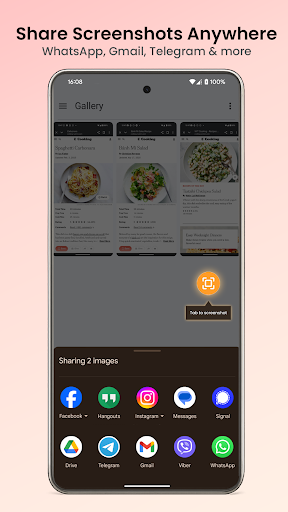
Screenshot Capture & Editor — the screenshot app that does it all! Need a fast screenshot editor to capture your screen and edit it right away? Screenshot Capture & Editor is a lightweight screen capture tool — take screenshots, capture full web pages, snap Google Maps, stitch images and edit them in one tap. 🔥 Why choose Screenshot Capture & Editor? ✔ One-tap capture — floating button, notification panel, or shake to capture ✔ Web page capture — save full or partial web pages as images ✔ Google Maps screenshot — capture map areas with high detail ✔ Image stitching — combine multiple photos into one long screenshot ✔ Powerful photo editor — crop, text, emoji, filters, shapes, draw ✔ Instant sharing — WhatsApp, Telegram, Drive, Email ✔ Smart gallery — auto-save and organize by date ✔ Dark mode — system, light, or dark theme ✔ Lightweight & fast — small size, saves battery 📷 Capture your screen Web pages, articles, maps, documents — just tap the floating button or shake your phone. Works on all Android devices (8.0+), no root required. 🔘 Multiple capture triggers Choose the way that works best for you: 🔹 Floating button — always-on overlay, tap to capture 🔹 Notification panel — quick toggle from the status bar 🔹 Shake to capture — just shake your phone, no tapping needed 🌐 Web page capture — scrolling screenshot Save any web page as a high-quality scrolling screenshot — full page or just the part you need: 🔹 Full page capture — entire web page from top to bottom 🔹 Partial capture — select and save only the section you want 🔹 No browser extensions needed — just paste the URL Perfect for saving articles, receipts, product pages, and online documents. 🗺️ Google Maps screenshot Capture detailed map screenshots with ease: 🔹 Save routes, directions, and locations 🔹 High-resolution map images 🔹 Share map screenshots with friends, colleagues, or clients Ideal for travel planning, delivery routes, and location sharing. 🖼️ Image stitching — long screenshot Pick multiple screenshots or photos and combine them into one long screenshot: 🔹 Stitch images vertically or horizontally 🔹 Great for step-by-step guides or before/after comparisons ✏️ Photo editor — edit like a pro Make your screenshot photos clear and informative: 🔹 Crop & resize — focus on what matters 🔹 Text & annotations — add notes directly 🔹 Emoji stickers — mark up with visual cues 🔹 Filters — apply effects to enhance your screenshot 🔹 Shapes & drawing — arrows, circles, lines, rectangles 🔹 Undo & redo — fix mistakes instantly 📤 Share in seconds Send screenshots instantly via: ✔ WhatsApp, Telegram, Messenger ✔ Instagram, Facebook, X (Twitter) ✔ Google Drive, Dropbox ✔ Email or save locally 📁 Organized screenshot gallery Every screenshot is saved automatically and sorted by date for quick access. No clutter, no searching through your photo gallery. ⚡ Performance first – App size under 5 MB – No background processes – Runs smoothly on any device – No root required – No account required 👥 Perfect for: 🎓 Students — save lecture slides, notes, study materials 💼 Professionals — document tasks, annotate reports, capture receipts 🗺️ Travelers — save maps, routes, hotel confirmations 🛒 Online shoppers — keep order confirmations and price comparisons 📲 Download Screenshot Capture & Editor now! The fastest way to capture, edit, and share your screen. Take screenshots like a pro — lightweight, powerful, and free!
1 year on Google Play
This app isn't currently appearing in any tracked top charts.