
Auto Delete Photo Camera
Updated Jun 9, 2026 · v1.0.2




Auto delete photos with schedule! Capture, save & manage easily.
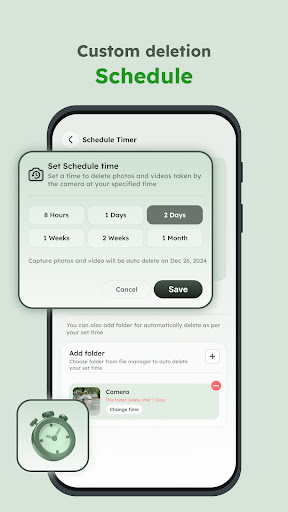
Keep Your Storage Clean & Organized Effortlessly •Many of us take photos to remember something or make notes, but these photos are often temporary and we forget to delete them later. This app helps managing such mindlessly, habitually or spontaneously taking photos. •Tired of your phone filling up with unnecessary photos? This app helps you easily manage your temporary photos and free up storage automatically. Just capture photos with the app's camera, set a schedule, and let the app handle the rest! No extra effort required. •This must-have app ensures that only the photos you want to keep stay safe, while everything else is deleted as per your chosen schedule—with your consent. Key Features: 📸 Camera •Capture photos and videos directly using the app’s camera. Set a schedule for auto-deletion or mark them as favorites to keep them forever. ⏱️ Schedule Timer •Choose a specific time interval for automatically erasing photos and videos captured with the app. You can also select other folder or folders from mobile storage for scheduled auto-delete. 🖼️ Gallery •View all the photos and videos captured through the app in one convenient place. ⭐ Favorites •Save important photos and videos by marking them as favorites. Starred items are protected from auto-deletion. Why Use This App? •Keeps your phone storage clean and clutter-free. •Saves time by automating photo management. •Gives you complete control with easy-to-use features. ‣Download the app now and say goodbye to unnecessary storage headaches! Permission ‣Overlay permission -> This permission is required to display the floating camera button on your screen, allowing you to launch the camera from home. ‣Camera permission -> This permission is required to capture photos or videos from the app. ‣Mic permission-> This permission is required to record audio while recording video from the app. ‣Storage permission(Below 10)-> This permission is required to store captured media from the app into device storage.
1 year on Google Play
This app isn't currently appearing in any tracked top charts.